WooCommerce AI Chatbot: Auto-Sync Products and Live Order Answers
Running a WooCommerce store means your product catalog is always evolving - new items are added, prices change, descriptions get updated. Keeping an AI chatbot trained with accurate, current product data used to be a time-consuming manual task. Not anymore.
With the onWebChat WooCommerce AI Chatbot, your product catalog is synced automatically, so your AI bot is always trained with the latest data, without any manual effort from you. And now it goes one step further: the bot can also look up your customers' orders live and answer the number one support question, "Where is my order?", securely and around the clock.
And this is no longer WooCommerce only. The same automatic product sync is now available for OpenCart 3 and OpenCart 4 as well. On both platforms you can sync up to 15,000 products, including their prices, so your AI assistant always has an accurate, up-to-date view of your store.
New in August 2026: the full product description is synced
Until now the sync sent the short product description. From WooCommerce plugin 3.9.1 and OpenCart extension 1.9.1, the whole product description is sent for AI training, so the details that live further down the product page (intended use, compatibility, specifications, materials, package contents) are part of what your chatbot knows.
Descriptions that are too long for a single training entry are no longer cut off at a fixed length. onWebChat shortens them with AI, keeping the concrete facts and dropping the marketing filler, so the specifications at the end of a long description are not the part that gets lost.
Already using the plugin? Update it, then press "Sync all products now" once, so your existing products are re-sent with their full descriptions. Every product you add or edit after that is synced with the full description automatically.
The Problem: AI Bots That Go Stale
Most AI chatbot solutions require you to manually export your products, format the data, upload it, and re-train the bot whenever something changes. In a busy WooCommerce store with dozens or hundreds of products, this quickly becomes an unmanageable chore.
The result? A chatbot that quotes outdated prices, recommends discontinued products, or sends customers to broken links. That costs you trust and sales.
The Solution: Automatic Product Sync via WordPress Plugin
onWebChat solves this with a dedicated WordPress & WooCommerce plugin that handles all of this in the background, automatically.
Once you install the plugin and connect your onWebChat account, the sync is fully hands-free:
- Add a new product → it syncs to the AI automatically
- Change a price, discount, or special price → the updated products are re-synced automatically, so the AI never quotes an old price
- Update a description → the AI knows immediately
- Delete or unpublish a product → it's removed from AI knowledge instantly
- Only published products are included - drafts and hidden items stay private
What Data Gets Synced?
The plugin syncs the core product data your AI chatbot needs to give accurate, helpful answers:
- Product name - so the bot can identify and recommend products correctly
- Price - including special and discounted prices, so the bot always quotes the current amount
- Product description - the short and the full description, for detailed answers about features, specifications and compatibility
- Product URL - so the bot can share direct links to the right product pages
- SKU - for accurate identification in multi-variant catalogs
- Price - so the bot always quotes the current price, never an outdated one
- Availability - so the bot knows whether a product is in stock or not
Each product becomes one clean AI training entry - organized, efficient, and ready to power accurate customer conversations. For tips on getting the sharpest answers from your bot, see our guide to best practices for training AI chatbots.
Now on OpenCart 3 and 4, and Up to 15,000 Products
Automatic product sync is no longer limited to WooCommerce. The same functionality is now available for OpenCart 3 and OpenCart 4, so OpenCart merchants get exactly the same hands-free, always-current AI training.
- Up to 15,000 products can be synced on both WooCommerce and OpenCart, so even large catalogs are fully covered
- Prices are part of the sync, so the AI can answer "how much is it?" with the correct amount
- Price changes trigger an automatic re-sync - when you change a price, a discount, or a special price, the affected products are updated on their own, with no manual step
Whether you run your store on WordPress or OpenCart, your AI chatbot stays in step with your real prices and offers, automatically.
What Your AI Chatbot Can Do With This Data
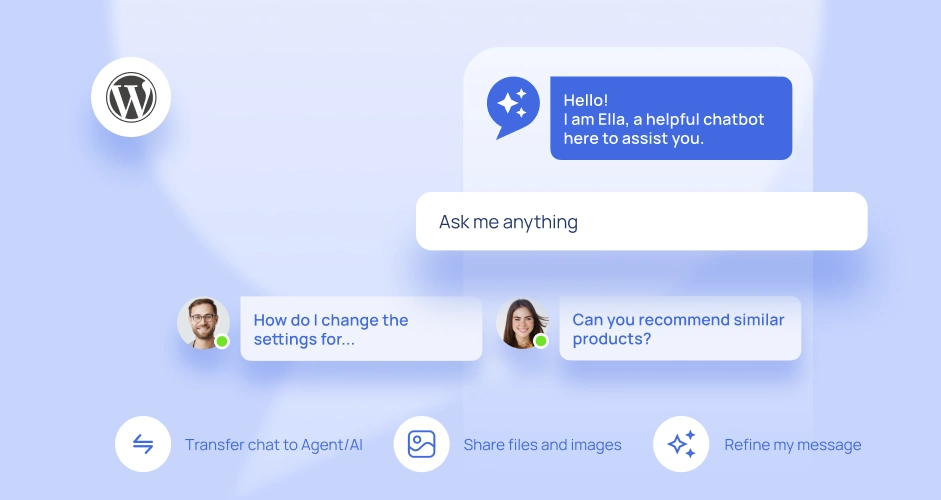
Once your WooCommerce catalog is synced, the ChatGPT-powered AI chatbot becomes a knowledgeable sales assistant that can:
- Answer specific product questions: "Does this jacket come in XL?"
- Quote the current price, including any active discount or special offer
- Recommend the right product based on customer needs
- Share direct product page links during the conversation
- Handle these queries 24/7, even when your team is offline
This is exactly the kind of instant, personalized assistance that is transforming the customer experience in e-commerce.
New: Your AI Bot Answers "Where Is My Order?"
Product knowledge is only half of e-commerce support. The other half is order questions: "Where is my order?", "Has it shipped?", "What did I order?". These are by far the most common support requests in any online store.
The plugin now gives your AI chatbot live access to your WooCommerce orders. When a customer asks about an order, the bot looks it up in your store in real time and replies with the actual, current status, the items, and the shipping state. No tickets, no waiting, no manual lookups by your team.
Secure by Design: Verified Before Anything Is Shared
Order data is personal, so the chatbot verifies the customer before revealing anything:
- Visitor not signed in? The bot asks for both the order ID and the email address linked to the order. Only if they match does it share the order details.
- Customer signed in to your store? Their identity is already confirmed, so the order ID alone is enough.
This simple double check means order information is only ever disclosed to its rightful owner, while genuine customers still get their answer in seconds.
How to Set It Up
Getting started requires no coding and no technical knowledge:
- Install the onWebChat plugin. Install the onWebChat plugin from the WordPress repository, or download it directly from the onWebChat website.
- Connect your onWebChat account. Open the plugin General settings tab and enter your onWebChat email and password to connect your account.
- Enable automatic product sync. Go to the WooCommerce tab in the plugin settings and tick "Automatically sync products to onWebChat for AI training".
- Run the initial bulk sync. Click the "Sync All Products Now" button to sync your entire catalog. This runs in the background and may take from a few seconds to a few minutes depending on your product count.
- Enable the AI chatbot. Enable and configure your AI chatbot from the onWebChat dashboard.
From this point on, any new product you add or update in WooCommerce is synced to the AI automatically, no need to click that button again. Live order lookup works through the same plugin connection, so there is nothing extra to configure. That's it. Your AI bot is live, product-aware, order-aware, and self-maintaining.
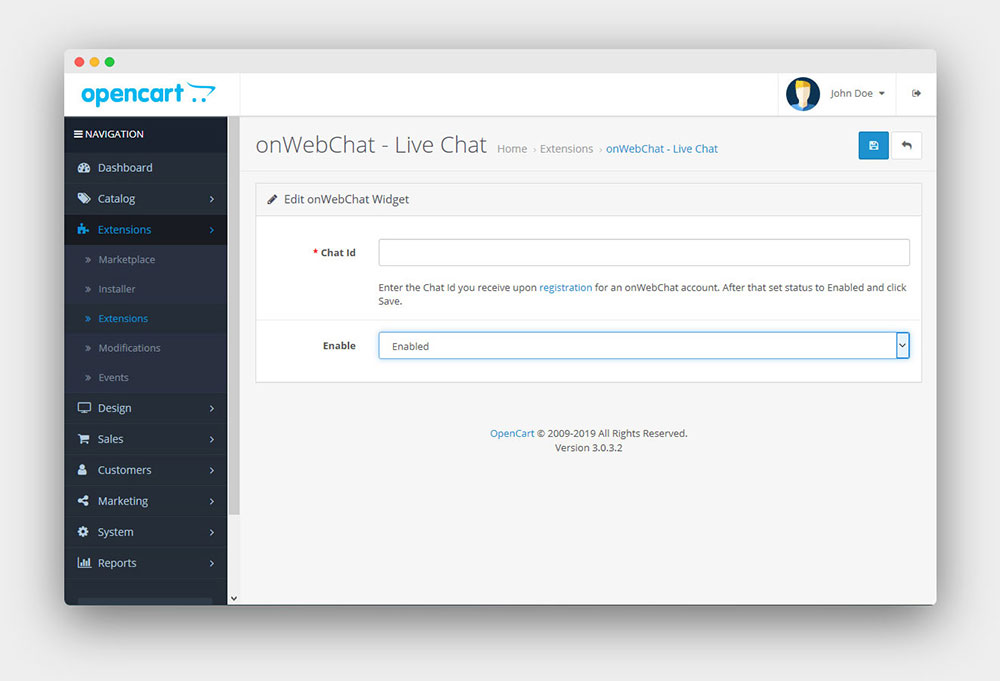
On OpenCart 3 and 4 the setup is just as simple: install the onWebChat OpenCart plugin, connect your account, enable product sync, and run the initial sync. From there, new products and price changes are synced automatically, the same way they are on WooCommerce.
AI + Human: The Complete Support Experience
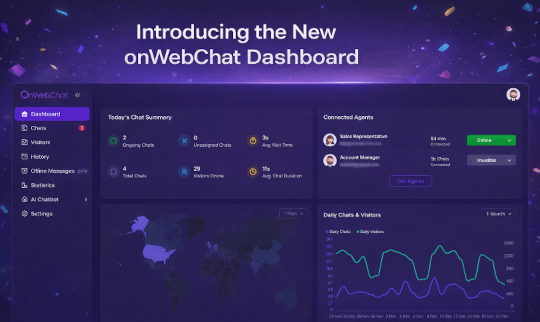
onWebChat isn't just a chatbot. It's a complete live chat platform. When a customer needs human assistance, the system notifies your team by notification and email so they can seamlessly take over, with the full conversation history preserved.
This means your AI handles the volume (routine product questions, recommendations, links) while your team focuses on high-value conversations that close deals.
Safe, GDPR-Compliant, and Under Your Control
The sync is entirely server-side and has no impact on your site's performance or loading speed. You can disable or pause the product sync at any time with a single click. Order details are disclosed only after the customer is verified, either by being signed in or by confirming the email linked to the order. All data handling is GDPR-compliant and stays secure.
Try It Free for 14 Days
New accounts get a 14-day free trial with 50 full AI bot conversations included, enough to test the WooCommerce integration, including the live order answers, and see real results.
No credit card required.
Ready to give your WooCommerce store a 24/7 AI sales assistant that always knows your products? Learn more about the WooCommerce AI Chatbot or sign up free today.
Frequently Asked Questions
- Does the AI chatbot update automatically when I change a product?
- Yes. Once automatic product sync is enabled, every change is reflected instantly on both WooCommerce and OpenCart. Add a new product and it syncs to the AI; update a price, a discount, or a special price and the AI knows immediately; change the description and it updates too; unpublish or delete a product and it is removed from the AI knowledge. No manual re-training is required.
- What product data gets synced to onWebChat?
- The plugin syncs the core data your AI chatbot needs to answer accurately: the product name, price (including special or discounted prices), availability, the product description (both the short and the full description), the product URL, and the SKU. Only published products are included, so drafts and hidden products are never synced.
- Is the full product description synced, or only the short one?
- The full one. Since the August 2026 update (WooCommerce plugin 3.9.1 and OpenCart extension 1.9.1) the whole product description is sent for AI training, not just the short description. Descriptions that are too long for a single training entry are shortened by AI instead of being cut off at a fixed length, so the concrete details, intended use, compatibility, specifications, dimensions, materials and warnings, are kept. On WooCommerce you can still choose to sync the short description only, from the Description Mode setting in the plugin WooCommerce tab.
- Can the AI chatbot answer questions about customer orders?
- Yes, live. With the free WordPress plugin, the AI bot looks up orders in your WooCommerce store in real time. It can answer questions like "Where is my order?", "Has it shipped?", and "What did I order?" using the actual, current order data, not canned replies.
- How is customer order information kept secure?
- Privacy comes first. Before sharing any order details, the chatbot asks the visitor for both the order ID and the email address linked to the order. If the customer is already signed in to your store, the order ID alone is enough. This way, order information is only ever disclosed to its rightful owner.
- Will syncing products slow down my WooCommerce store?
- No. Product syncing runs server-side in the background and has no impact on your site loading speed or performance. The chat widget itself is lightweight and optimized for speed.
- Do I need to manually train the AI chatbot?
- No manual training is needed. After you tick "Automatically sync products to onWebChat for AI training" and run the initial bulk sync, your catalog keeps the AI up to date on its own. Each product becomes one clean AI training entry automatically.
- Is the WooCommerce product sync secure and GDPR-compliant?
- Yes. The sync is entirely server-side, only includes published products, and is fully GDPR-compliant. You stay in control and can pause or disable product sync at any time with a single click.
- How much does the WooCommerce AI chatbot cost?
- You can try it free for 14 days, which includes 50 full AI bot conversations to test the WooCommerce integration. After the trial, pricing is affordable and based on your needs. No credit card is required to start.