Connect onWebChat with Drupal 7

Add live chat to your Drupal 7 website in seconds with onWebChat and start engaging directly with your visitors and customers.

Download Drupal 7 Module

Using Drupal 8? View our Drupal 8 installation guide

Drupal 7 Module Installation Guide

Step 1 In the admin menu, click Modules, then Install new module.
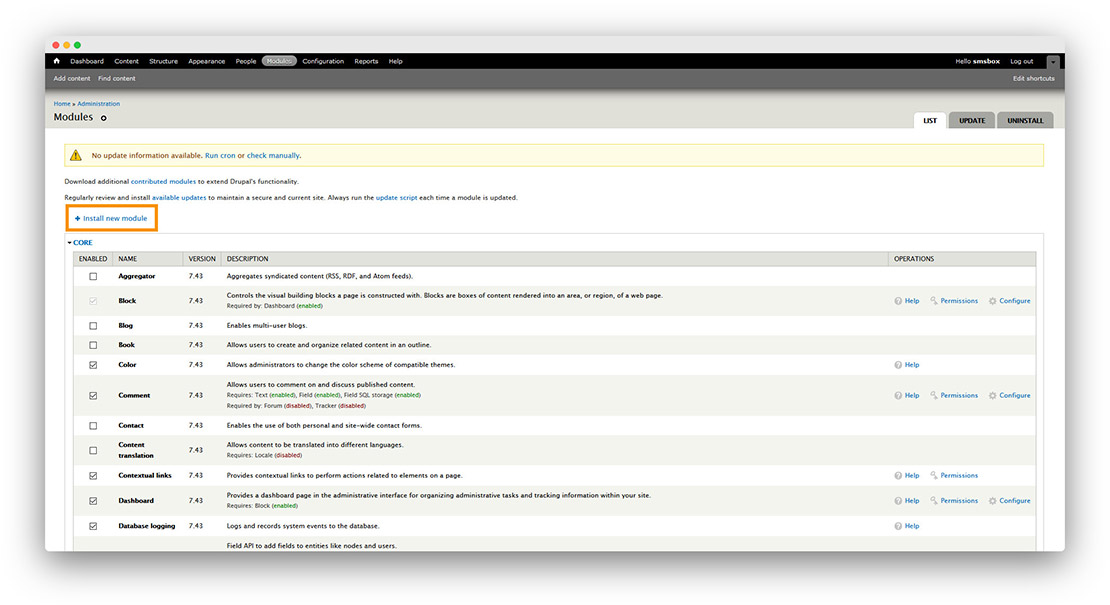
Drupal 7 module installation instructions step1

Step 2 Choose the downloaded module file, upload it, then click Install.
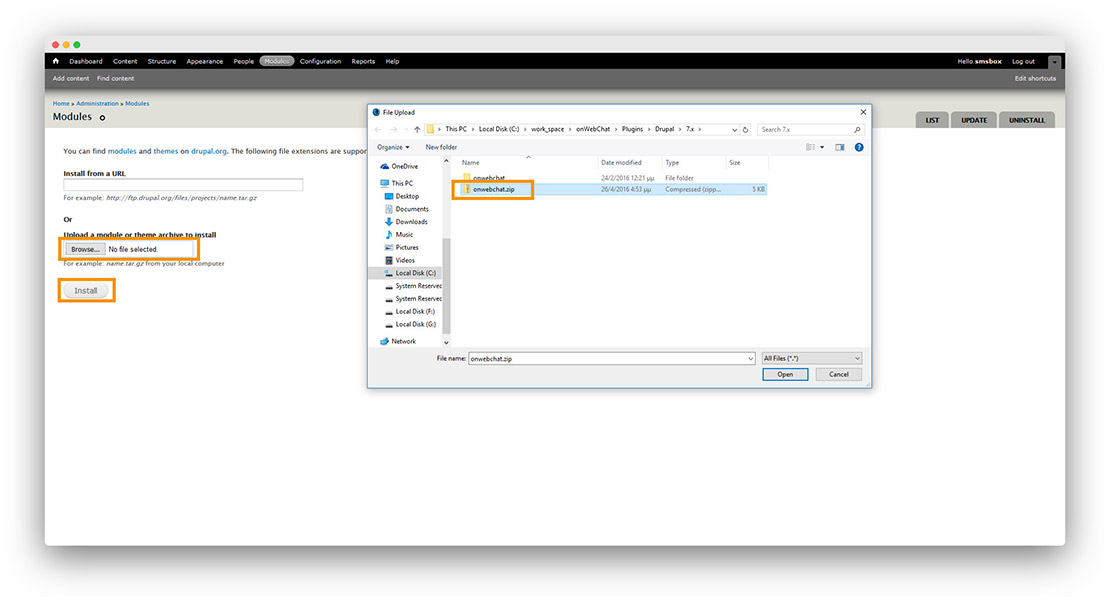
Drupal 7 module installation instructions step2

Step 3 Find onWebChat in the module list, check its Enabled checkbox, then click Save configuration.
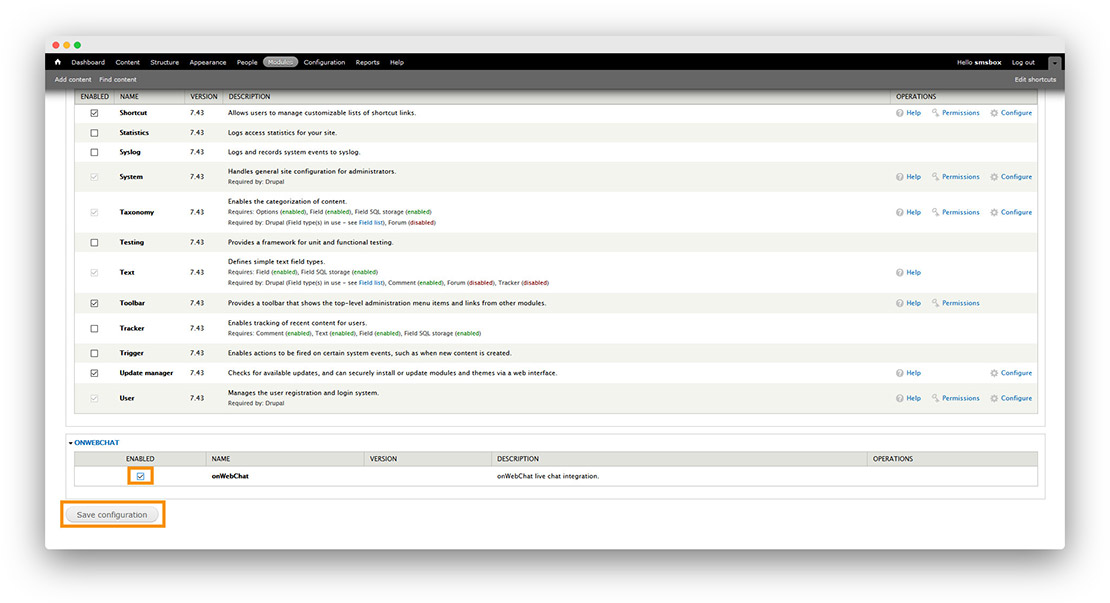
Drupal 7 module installation instructions step3

Step 4 Once the module is enabled, click its Configure link.
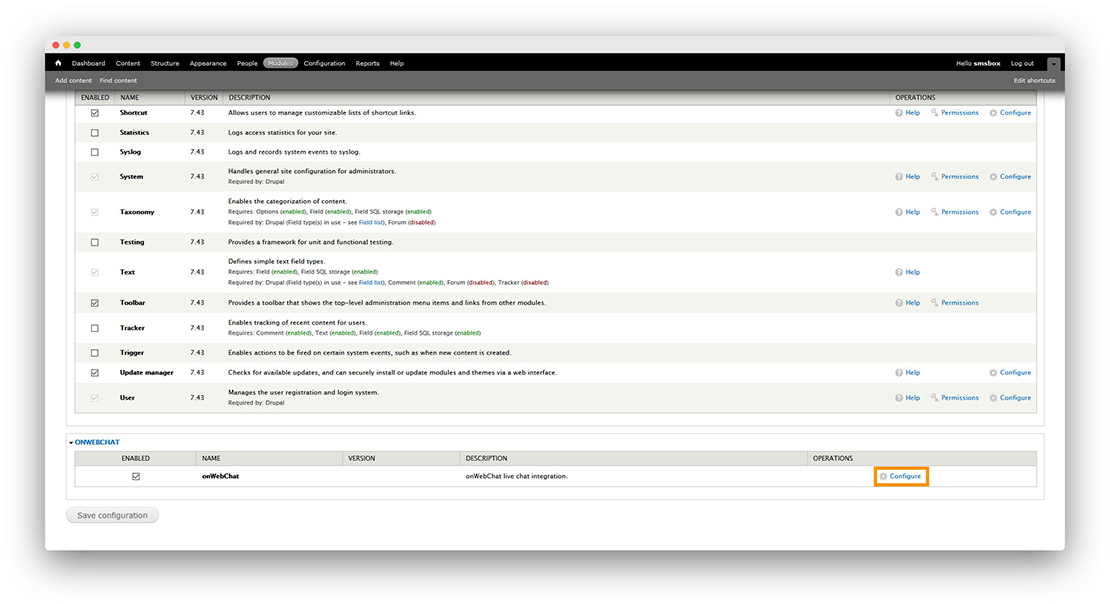
Drupal 7 module installation instructions step4

Step 5 Enter your Chat ID and click Save Configuration.

Don't have a Chat ID yet? Create a free onWebChat account, then copy your Chat ID from Settings > Widget > Installation in your dashboard.
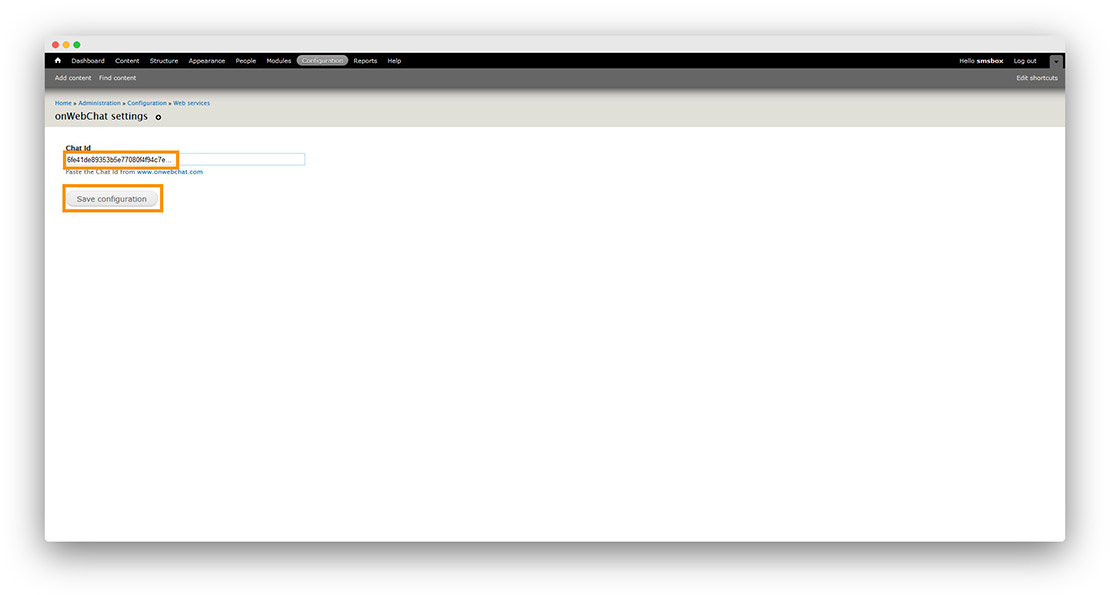
Drupal 7 module installation instructions step5

Done! Your live chat widget is now live on your Drupal site.
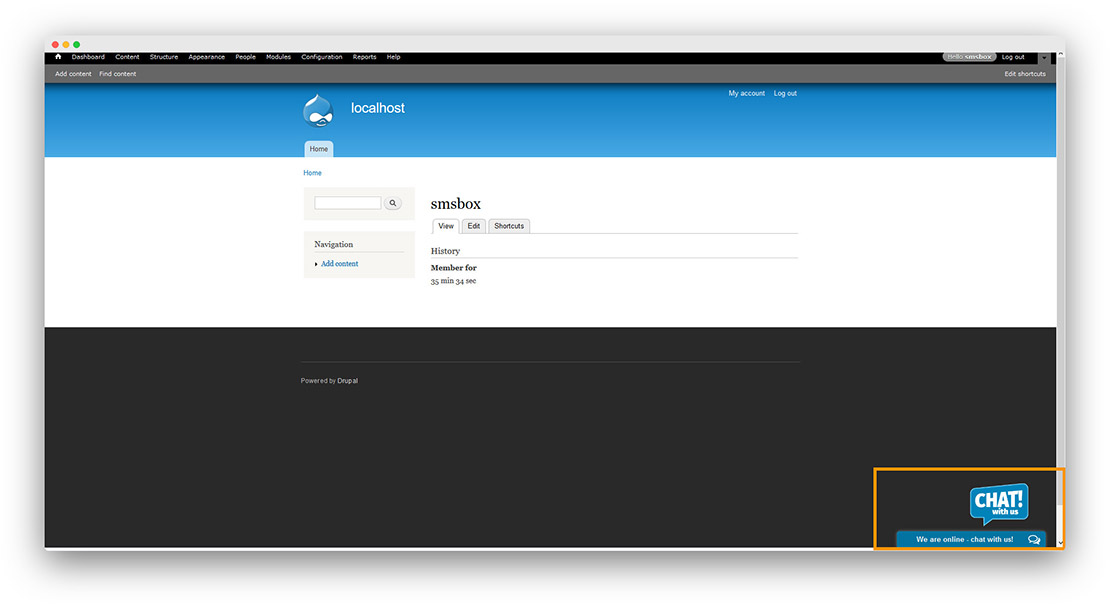
Drupal 7 module installation instructions step6
We use cookies to improve our website. No personal data or form inputs are captured.