Connect onWebChat with Drupal 7

Add live chat to your Drupal 7 website in seconds with onWebChat and start engaging directly with your visitors and customers.

Download Drupal 7 Module

Using Drupal 8? View our Drupal 8 installation guide

Drupal 7 Module Installation Guide

Step 1 Go to Manage Extend, then click Install new module.
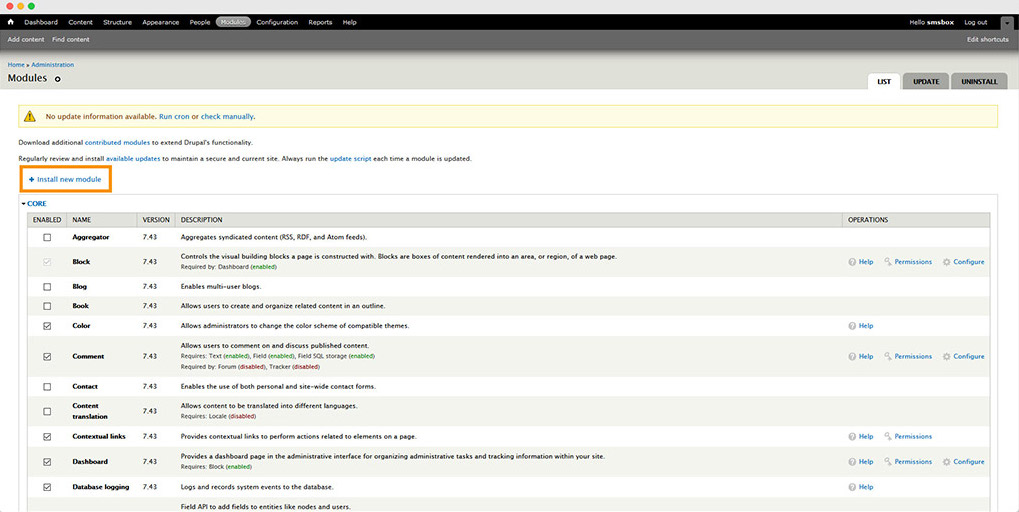
Drupal 7 module installation instructions step1

Step 2 Choose the downloaded module file, upload it, then click Install.
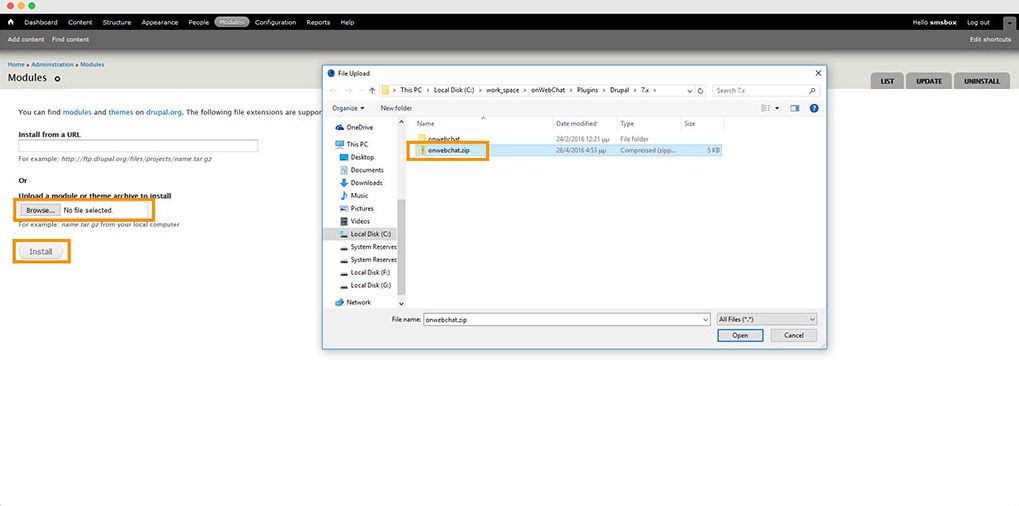
Drupal 7 module installation instructions step2

Step 3 Search for onWebChat, check the Enable checkbox, then click Save Configuration.
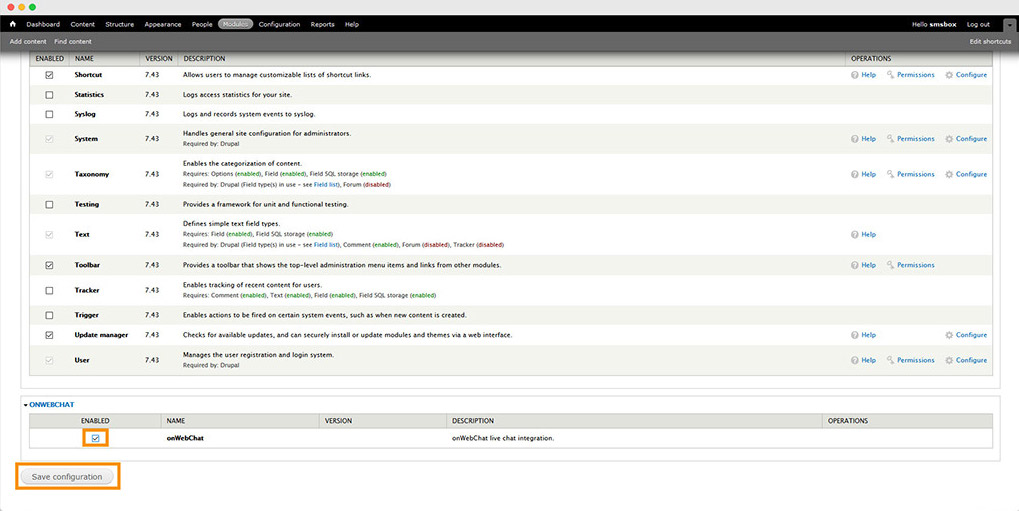
Drupal 7 module installation instructions step3

Step 4 Once the module is installed, click Configure.
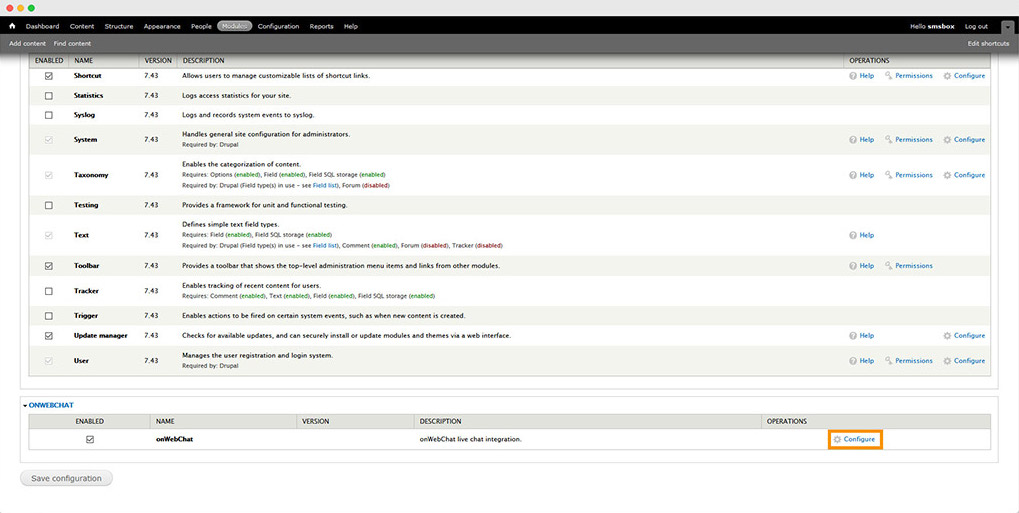
Drupal 7 module installation instructions step4

Step 5 Enter your Chat ID and click Save Configuration.

Don't have a Chat ID yet? Create a free onWebChat account.
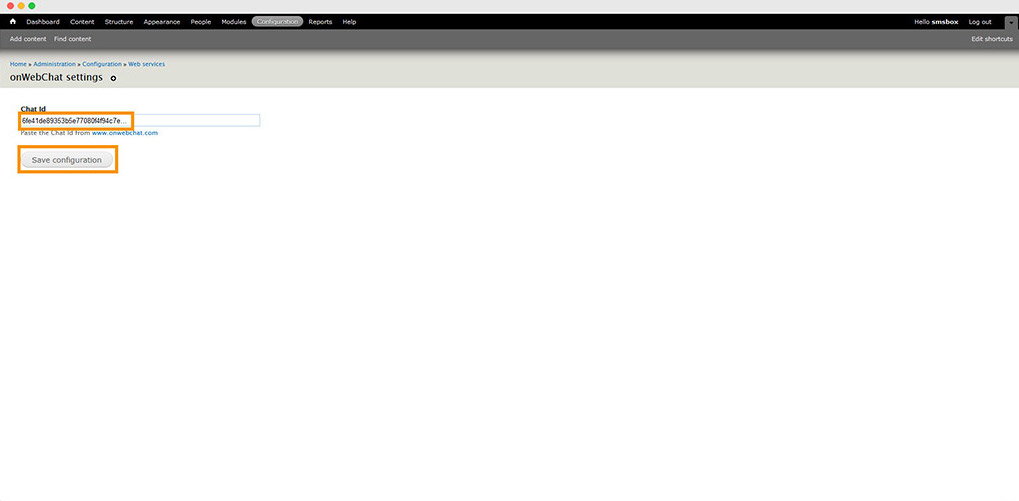
Drupal 7 module installation instructions step5

Done! Your live chat widget is now live on your Drupal site.
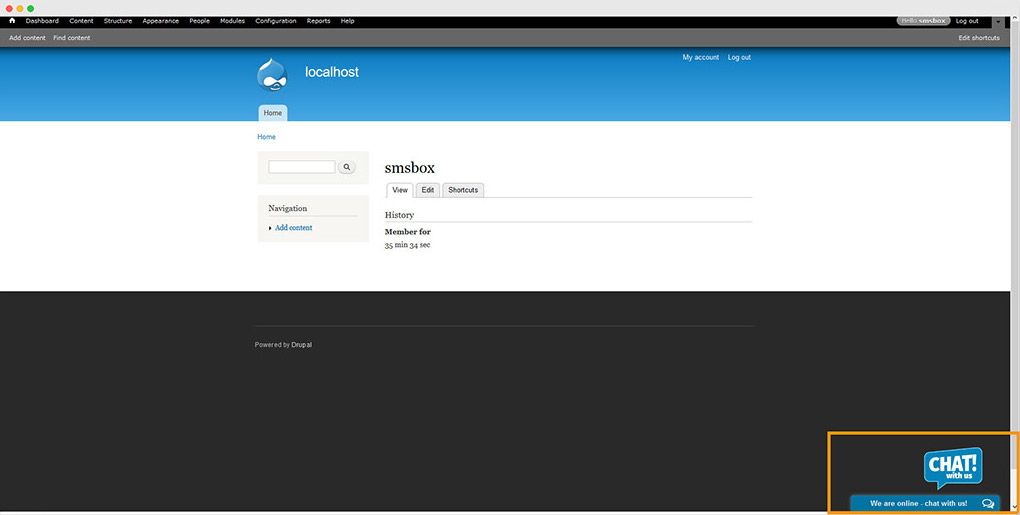
Drupal 7 module installation instructions step6
Usamos cookies para garantizar que te ofrecemos la mejor experiencia en nuestro sitio web.