Connect onWebChat with Typo3

livechat system - onWebChat easy integration with Typo3

Seamless Integration with Our Extension

With onWebChat live chat software, you can add live chat to your TYPO3 website in just seconds and start engaging directly with your customers.

Typo3 - onWebChat Installation Guide


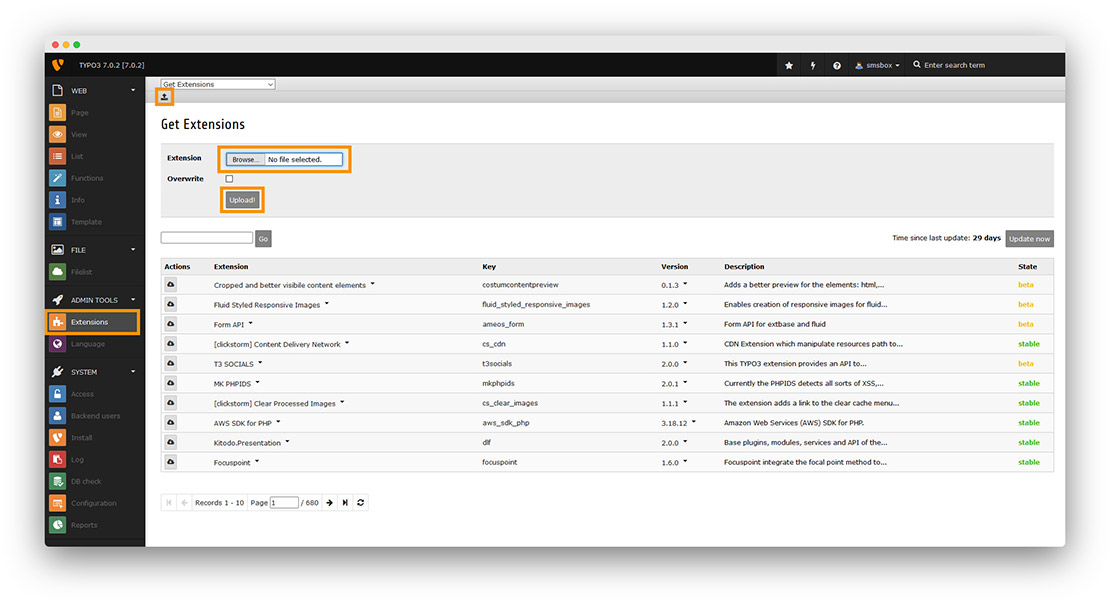
Step 1 Click the "Extensions" button, then the "upload" button and then select the extension zip file to upload it.

Typo3 - onWebChat live chat - extension installation instructions step1

Step 2 Search for onWebChat TYPO3 extension and click on it.
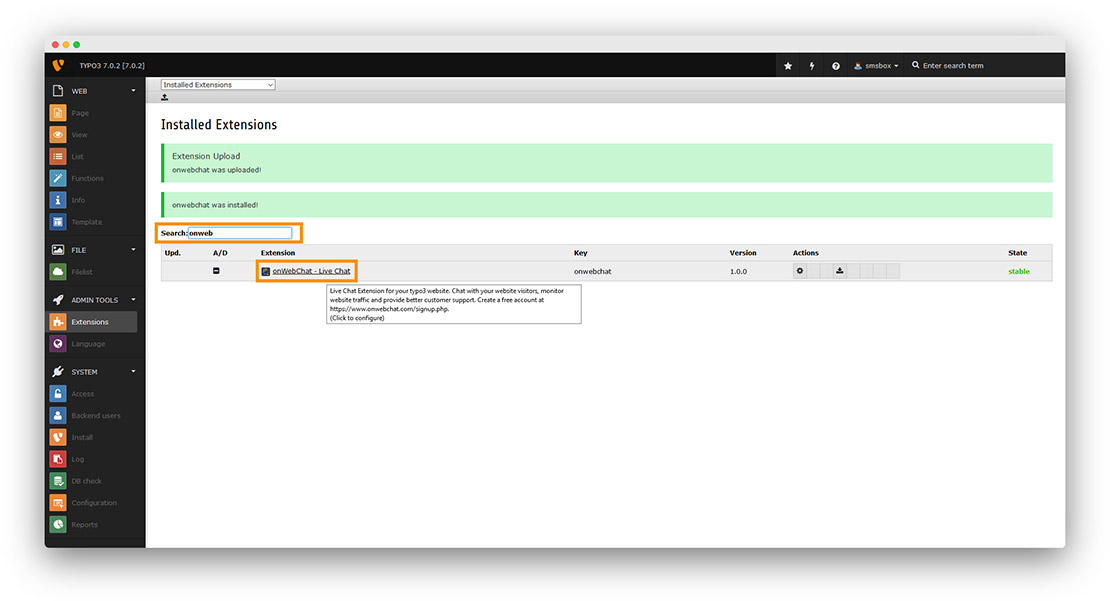
Typo3 - onWebChat live chat - extension installation instructions step2

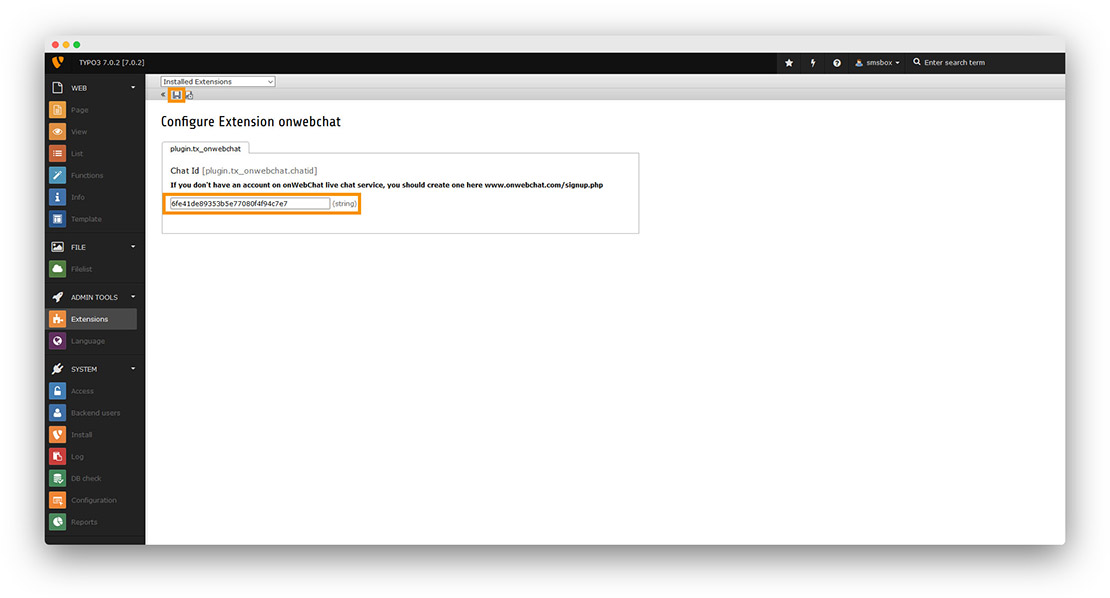
Step 3 Paste your Chat ID and click the "disk button".

If you don't have an onWebChat Chat ID, please create an account here.

Typo3 - onWebChat live chat - extension installation instructions step3

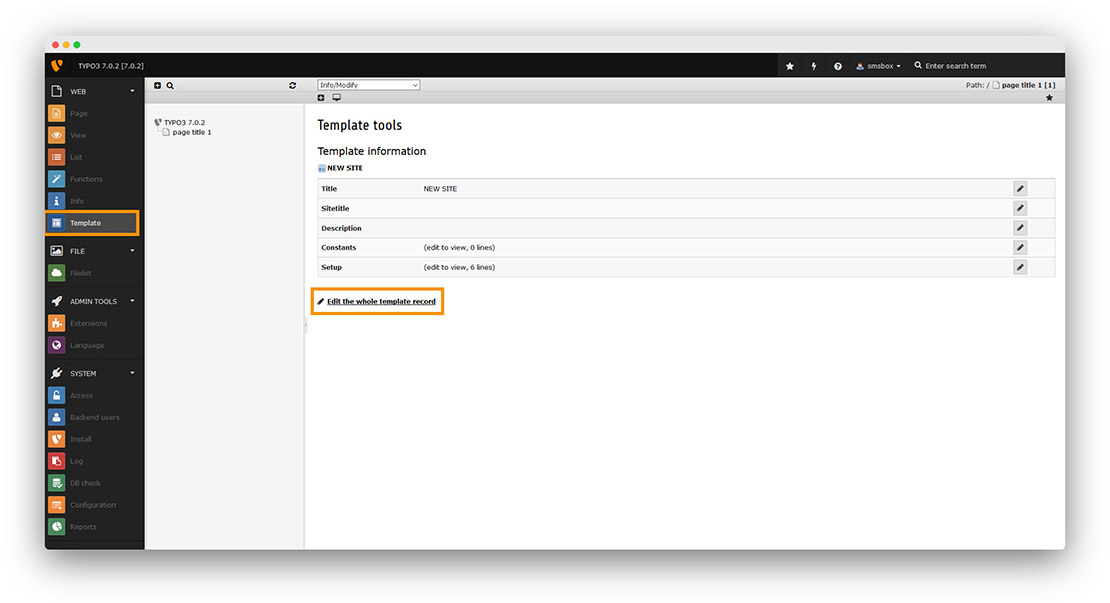
Step 4 Click on "Template" "Edit the whole template record".

Typo3 - onWebChat live chat - extension installation instructions step4

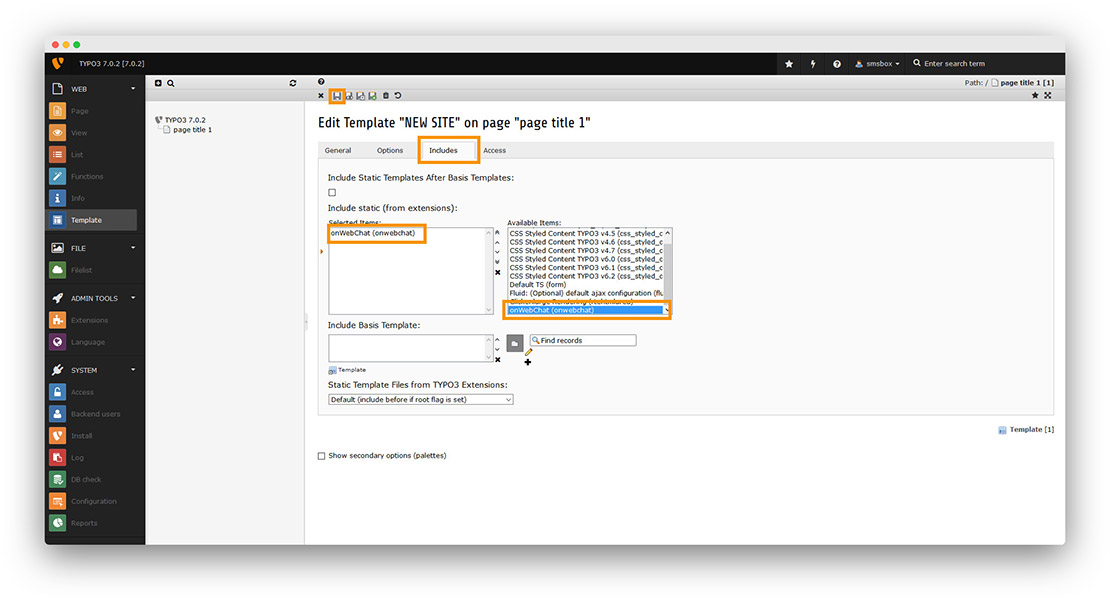
Step 5 Click on the tab "Includes" and search in the right window for onWebChat. Click it to add it to the "Selected Items" window. Finally, click the "disk button".

Typo3 - onWebChat live chat - extension installation instructions step5

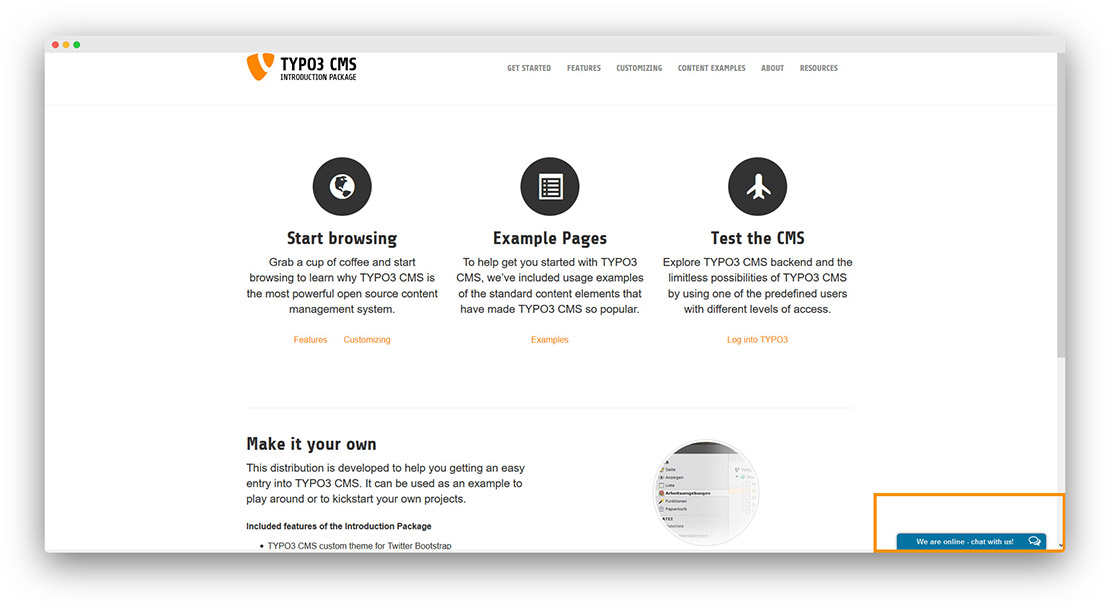
Congratulations! Your live chat widget is now available on your website.

Typo3 - onWebChat live chat - extension installation instructions step6
We use cookies to ensure that we give you the best experience on our website.