Settings in your own language
Description, fallback replies, tone and a name for your bot, written from what your website actually says. If your site is in Greek, your bot is set up in Greek.
Give us your website address. We read your site, write your chatbot settings in your own language, and tell you which visitor questions it can already answer. You review, you decide, you go live.
No credit card required. 50 AI conversations included in the trial.
You type one address. Everything below runs on its own, while you watch it happen.
That is the whole form. No description to compose, no greeting to invent, no list of questions to prepare.
Our crawler opens your homepage and looks for the pages that answer real questions: contact, about, FAQ, shipping, returns, pricing. It recognizes the language you write in, whether you run a shop or a service, and how customers can reach you.
A short description of your business, a reply for off-topic questions, a reply for the questions you cannot answer yet, and the tone your bot should keep. All of it in the language of your website, all of it yours to edit.
The rest of your site is read in the background, menus and cookie banners are thrown away, and what remains is turned into the knowledge your bot answers from. A small website is finished in about a minute, a large one keeps going while you look around.
We take the questions your visitors are most likely to ask and try each one against what was learned. You get a plain checklist: answered, weak, or missing. Every gap is filled with one line you type in place, and nothing else.
Description, fallback replies, tone and a name for your bot, written from what your website actually says. If your site is in Greek, your bot is set up in Greek.
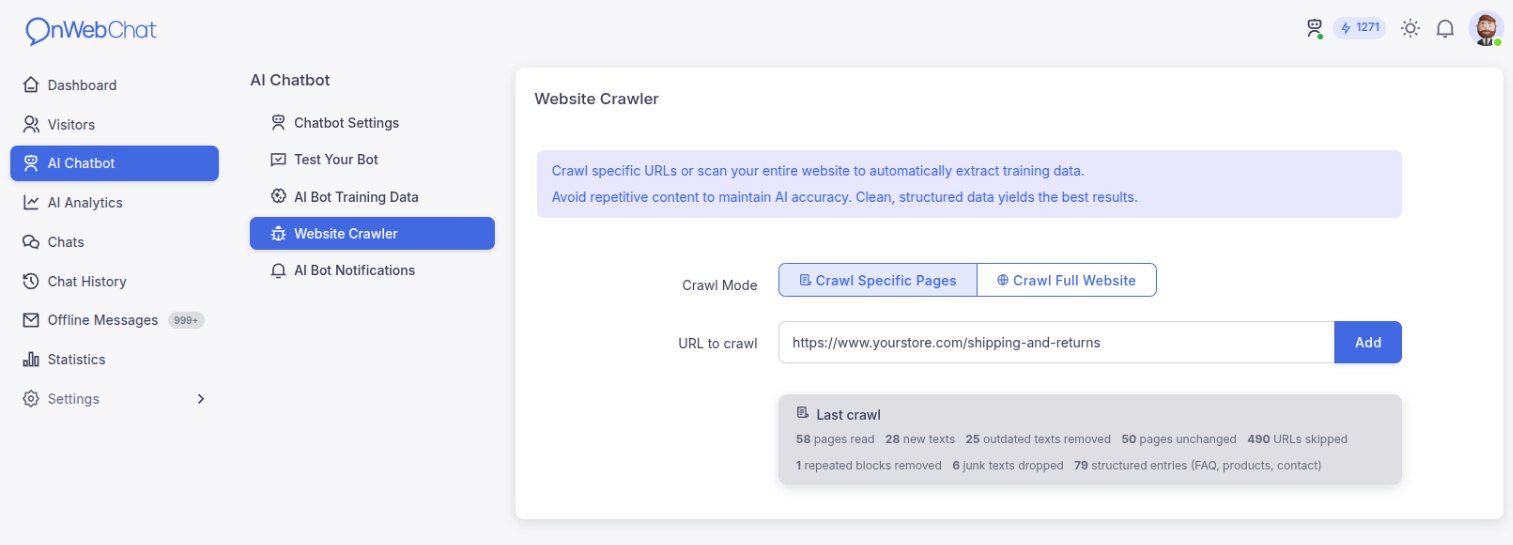
Up to 200 pages of your website (50 during the free trial) become the knowledge your bot answers from, cleaned of menus, banners and repeated boilerplate. You can read, edit or delete every single piece of it.
Most chatbot tools tell you that setup is complete. We tell you which questions your bot answers well, which ones it answers weakly, and which ones it cannot answer at all, before a single visitor asks them.
Ask your bot anything from inside the dashboard and see which page each answer came from. These test chats cost no AI credits and never appear in your chat history or statistics.
Nothing goes live on its own while you are looking at it: the settings we generate are a proposal until you accept them, and anything you have already written yourself is never overwritten, not on the first run and not on any run after it.
You can re-run the setup whenever your website changes, and your own edits stay exactly as you left them.
A chatbot trained once slowly starts quoting last year's prices. Whenever your website changes, run the setup again or crawl the new pages from your dashboard: new pages are learned and pages you deleted stop being quoted.
Pages that did not change are recognized and skipped, so a new crawl is quick and costs your server almost nothing. Our crawler obeys robots.txt and identifies itself honestly: about our crawler.
Once the bot is live, AI Analytics reads every conversation for you and lists what to fix, so it keeps getting better without you reading the chats.
Sign up, paste your website address, and see what your AI chatbot already knows about your business.
Start your 14-day free trial