Features
AI Chatbot
AI Chatbot Overview
How to Start
Training Your Chatbot
Pricing
Integrations
Support
Español
Português
Français
Deutsch
Italiano
Polski
Ελληνικά
Login
Start for free
Connect
onWebChat
with Volusion
Add live chat to your Volusion store in seconds with onWebChat and start engaging directly with your visitors and customers.
Volusion Live Chat Installation Guide
Step 1
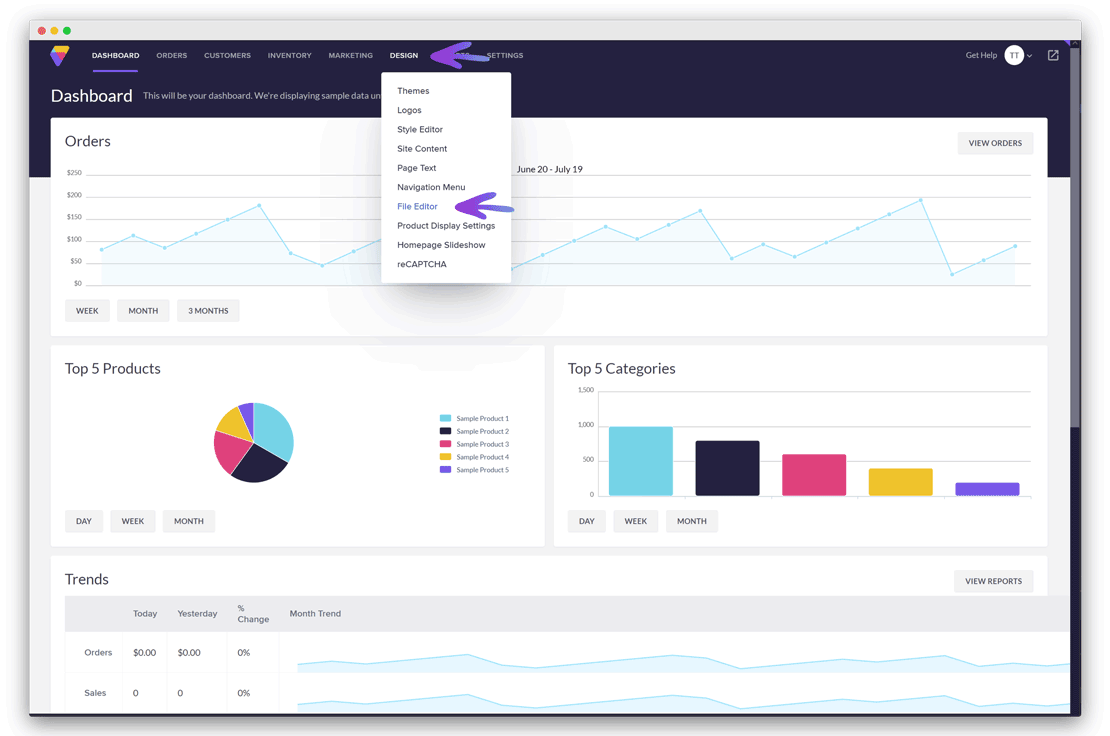
In your Volusion Admin Area, go to
Design
→
File Editor
.
Step 2
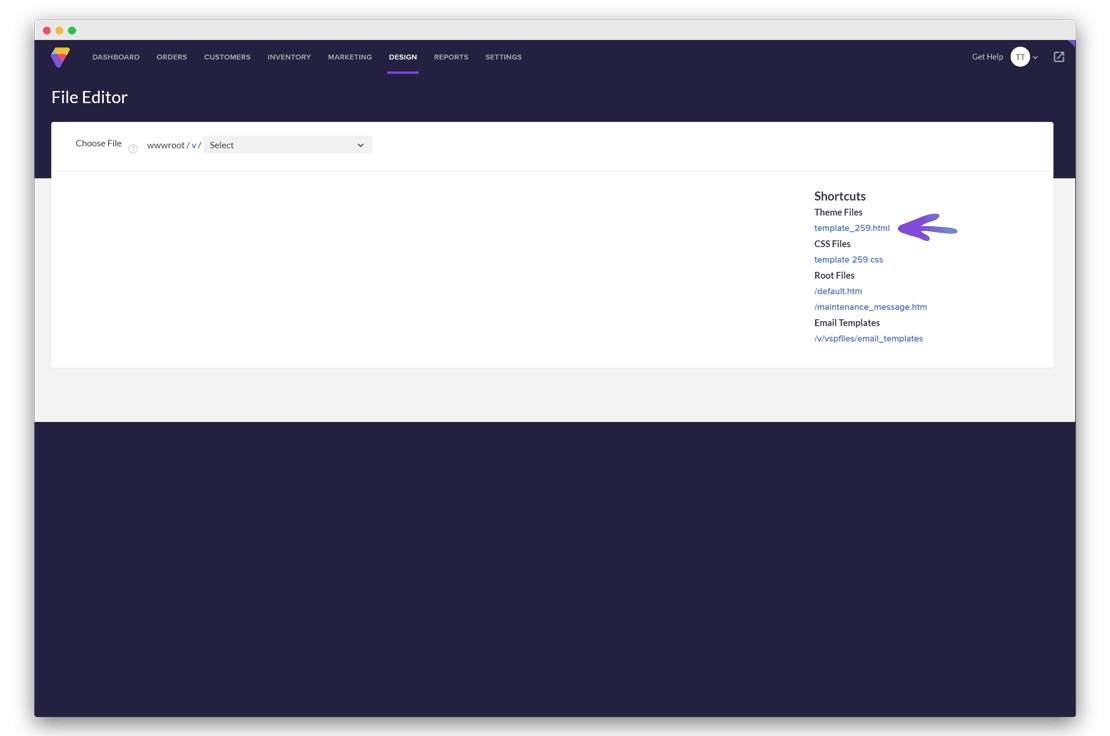
Click
template.html
in the Shortcuts menu on the right.
Step 3
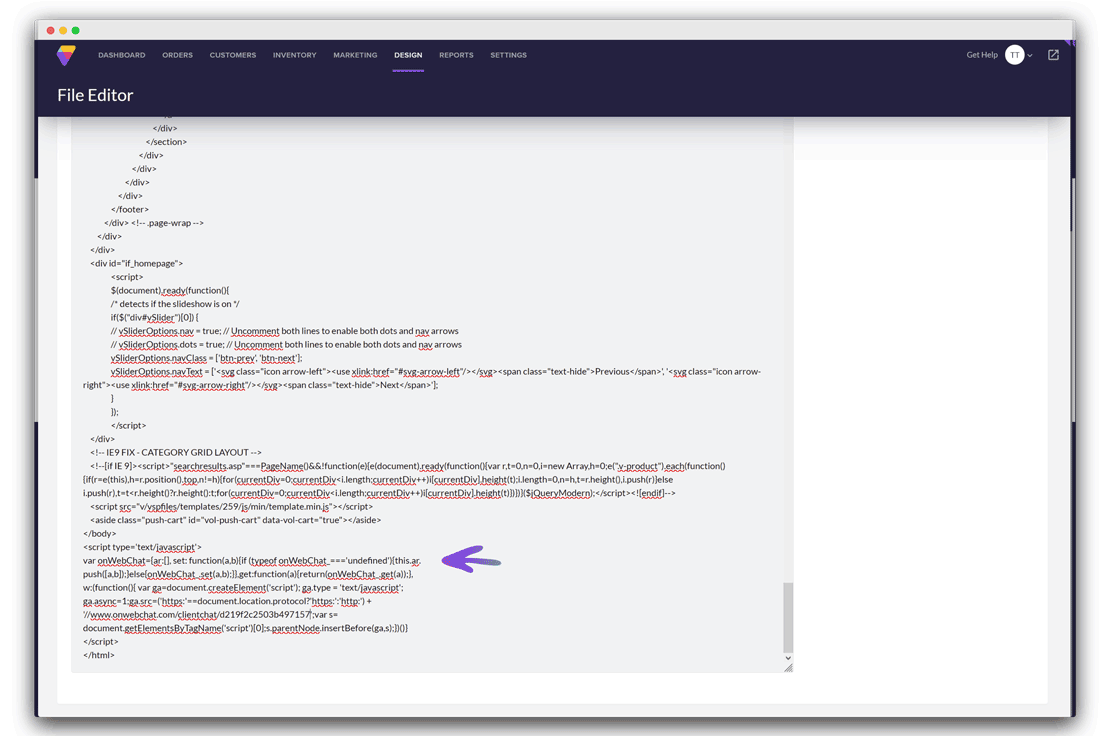
Scroll down to the section containing
<div id="footer">
. Paste the onWebChat widget code directly above the closing
</body>
tag.
Don't have a Chat ID yet?
Create a free onWebChat account
.
Done! Your live chat widget is now live on your Volusion store.
Return to integrations page
We use cookies to ensure that we give you the best experience on our website.
I agree
Learn more about
our cookie policy