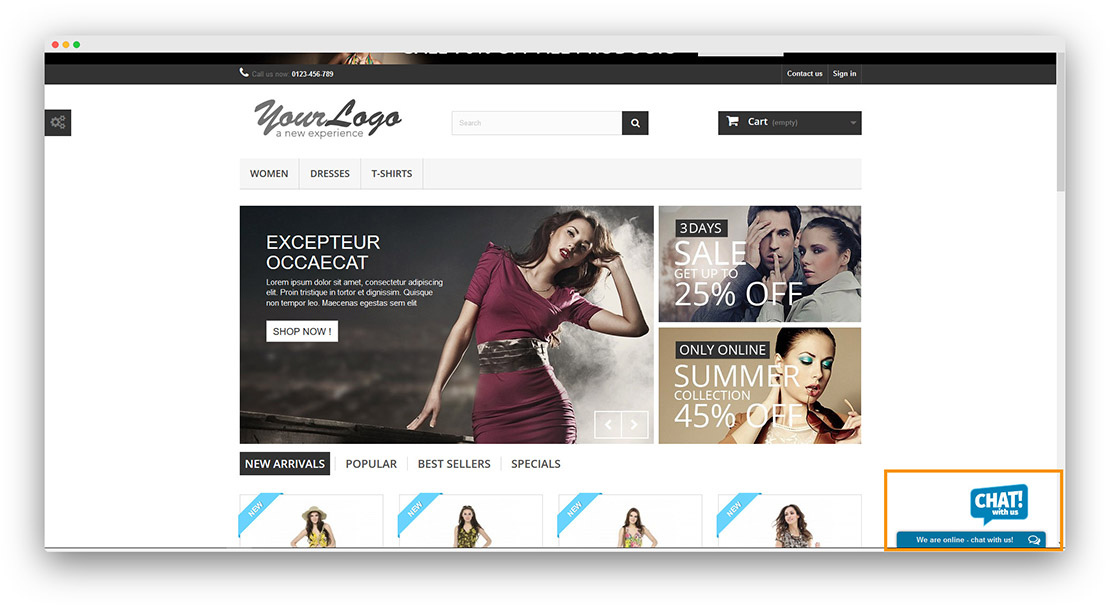
Connect onWebChat with PrestaShop
Add live chat to your PrestaShop store in seconds with onWebChat and start engaging directly with your visitors and customers.
Download PrestaShop Module
PrestaShop Module Installation Guide
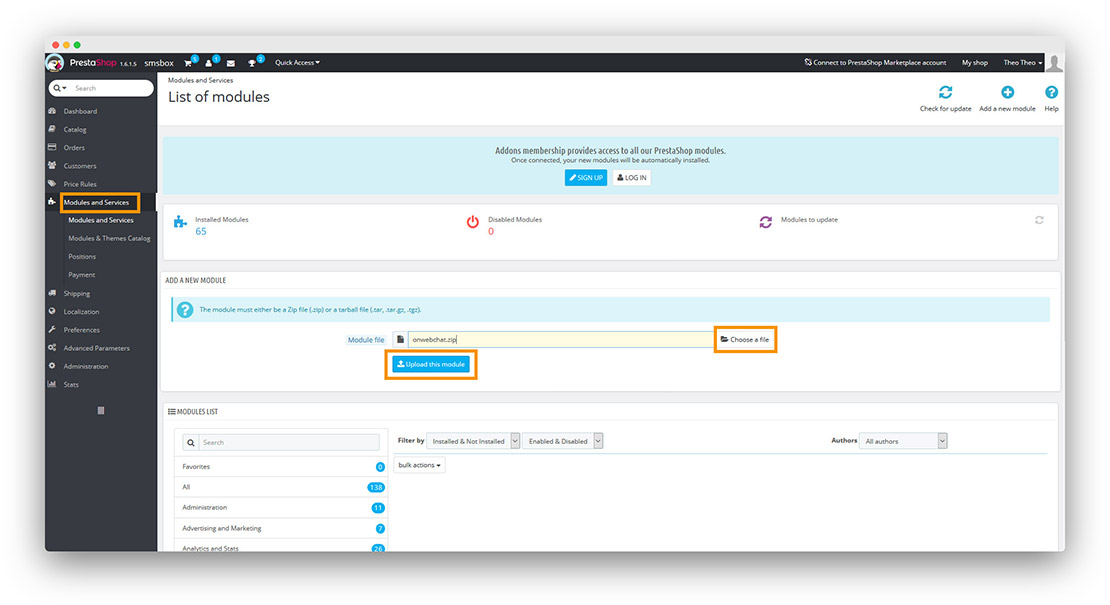
Step 1 Log in to your PrestaShop Admin Panel. Go to Modules → Module Manager (or Modules and Services), then click Upload a module. Select the onWebChat module file (.zip) and upload it.
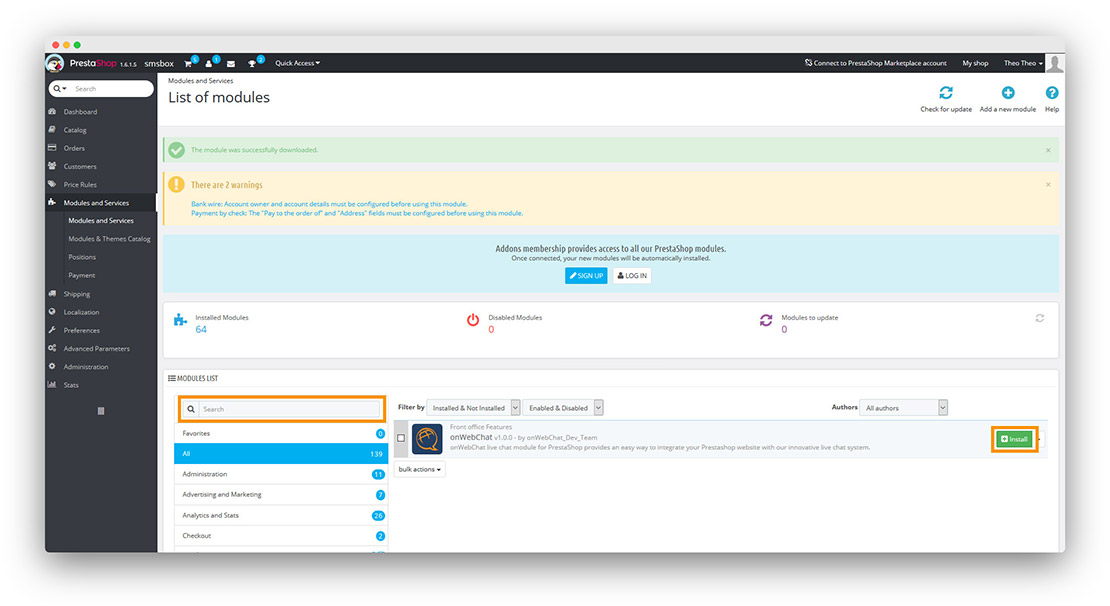
Step 2 Search for onWebChat in the module list. When it appears in the results, click the Install button.
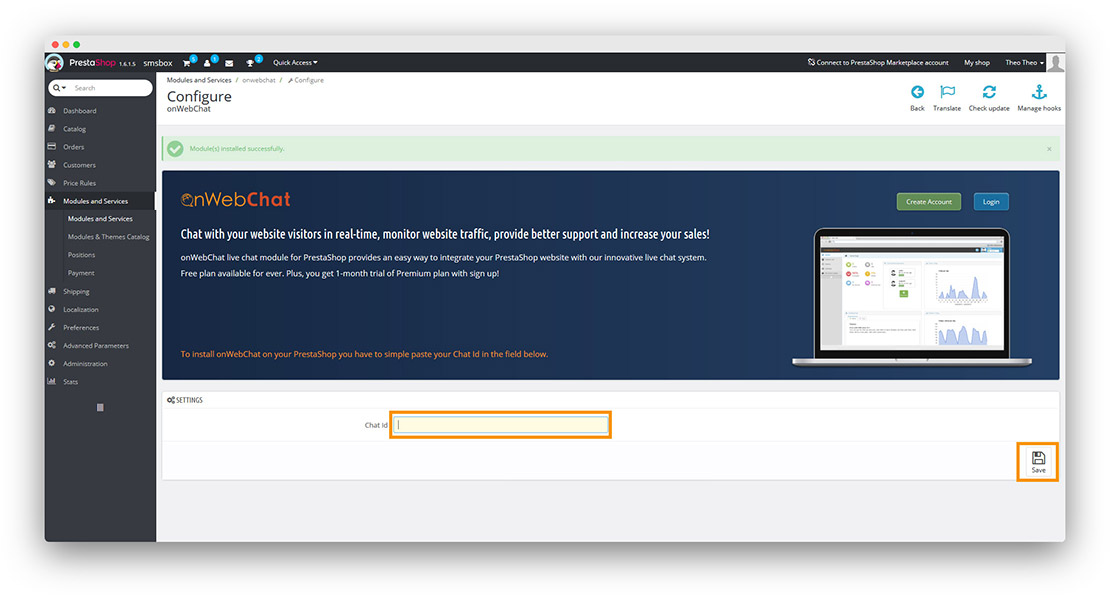
Step 3 Paste your Chat ID into the configuration field and click Save.
Don't have a Chat ID yet? Create a free onWebChat account, then copy your Chat ID from Settings > Widget > Installation in your dashboard.
Done! Your live chat widget is now live on your PrestaShop store.