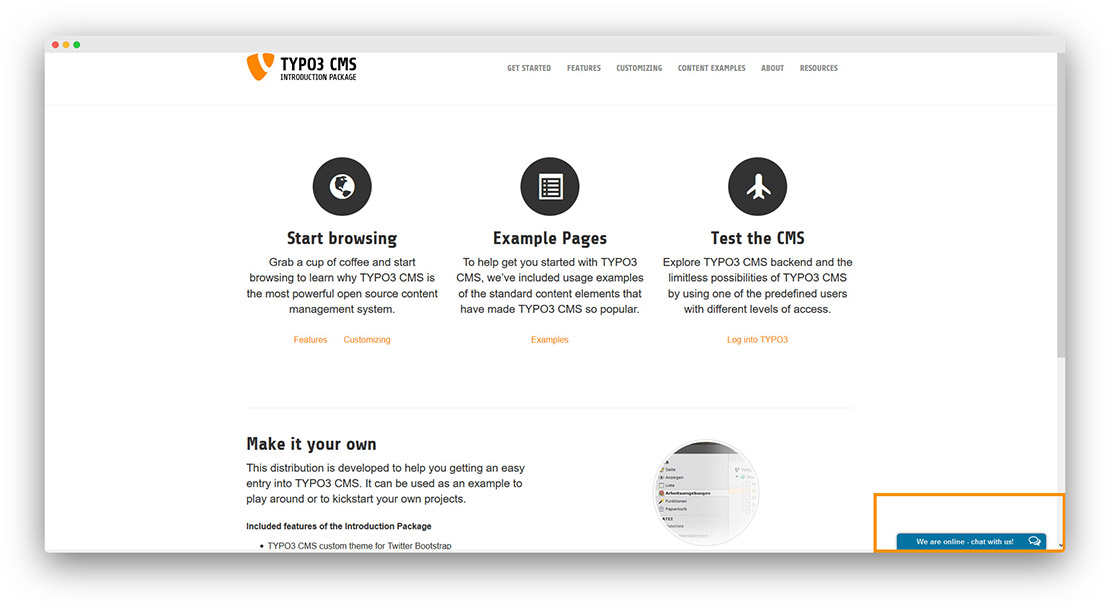
Connect onWebChat with TYPO3
Add live chat to your TYPO3 website in seconds with onWebChat and start engaging directly with your visitors and customers.
Download TYPO3 Extension
Using TYPO3 8 or newer? This extension supports TYPO3 6 and 7. On newer versions, add the widget code from Settings > Widget > Installation to your page template right before the closing </body> tag (for example with TypoScript page.footerData), as described in our general installation guide.
TYPO3 Extension Installation Guide
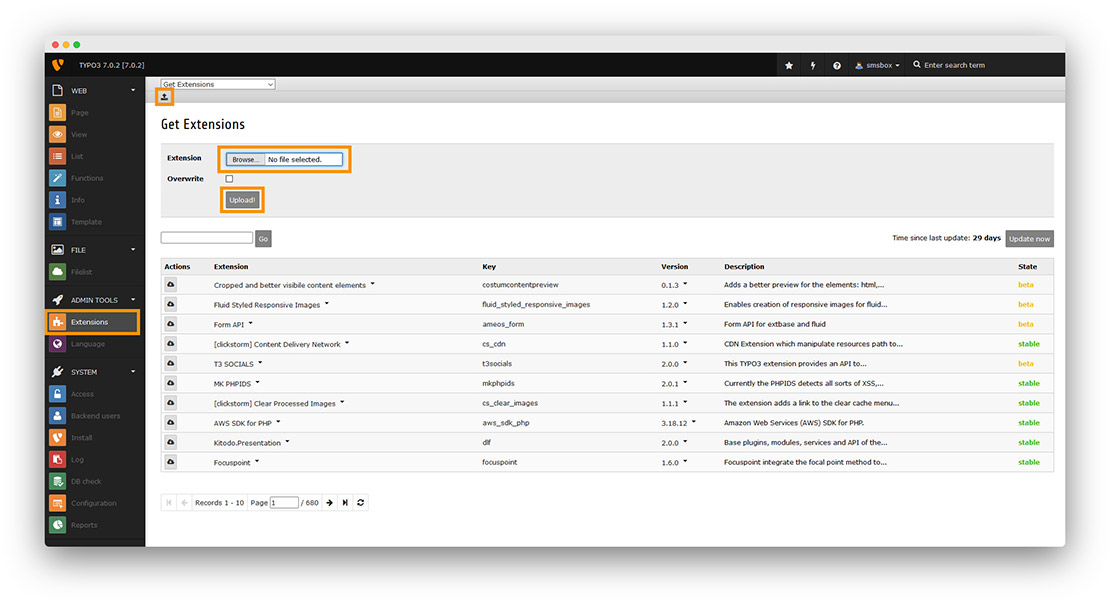
Step 1 Click Extensions, then Upload, and select the onWebChat extension (.zip) file to upload it.
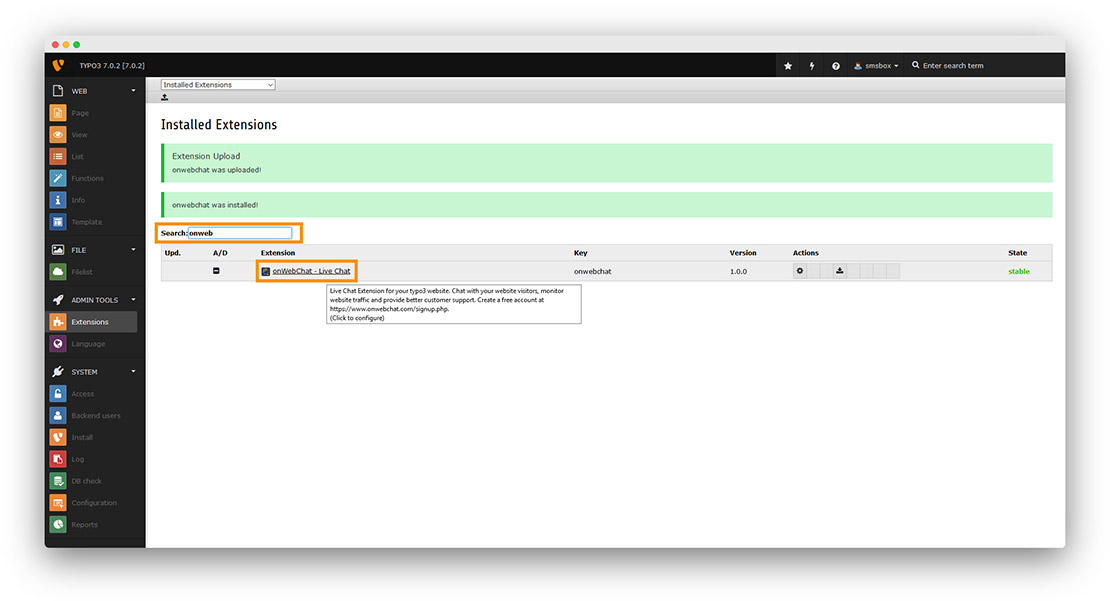
Step 2 Search for the onWebChat TYPO3 extension and click on it.
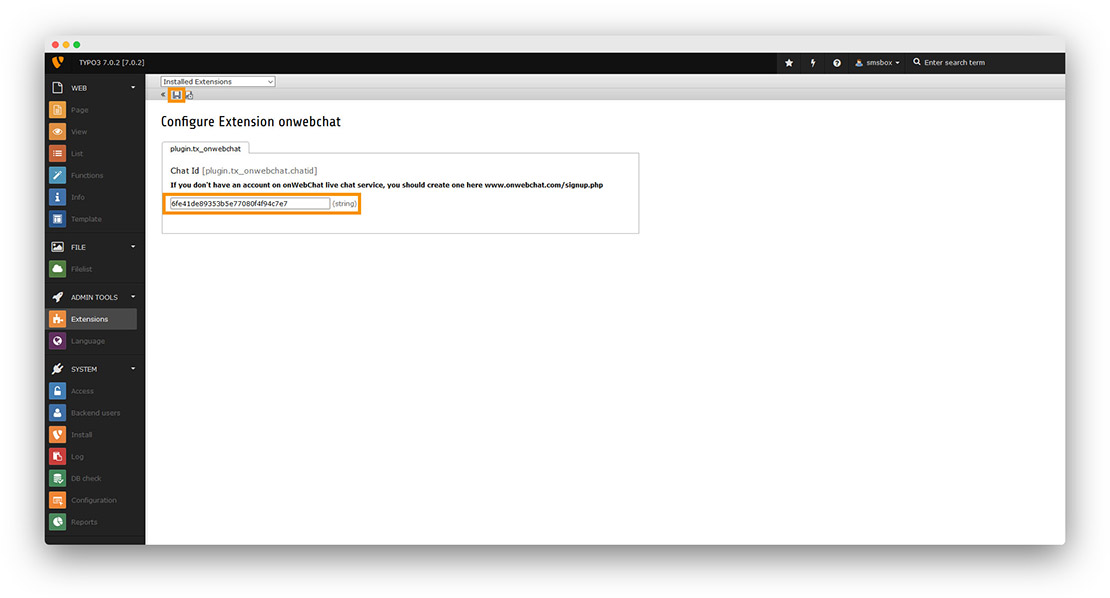
Step 3 Paste your Chat ID and click the save (disk) button.
Don't have a Chat ID yet? Create a free onWebChat account, then copy your Chat ID from Settings > Widget > Installation in your dashboard.
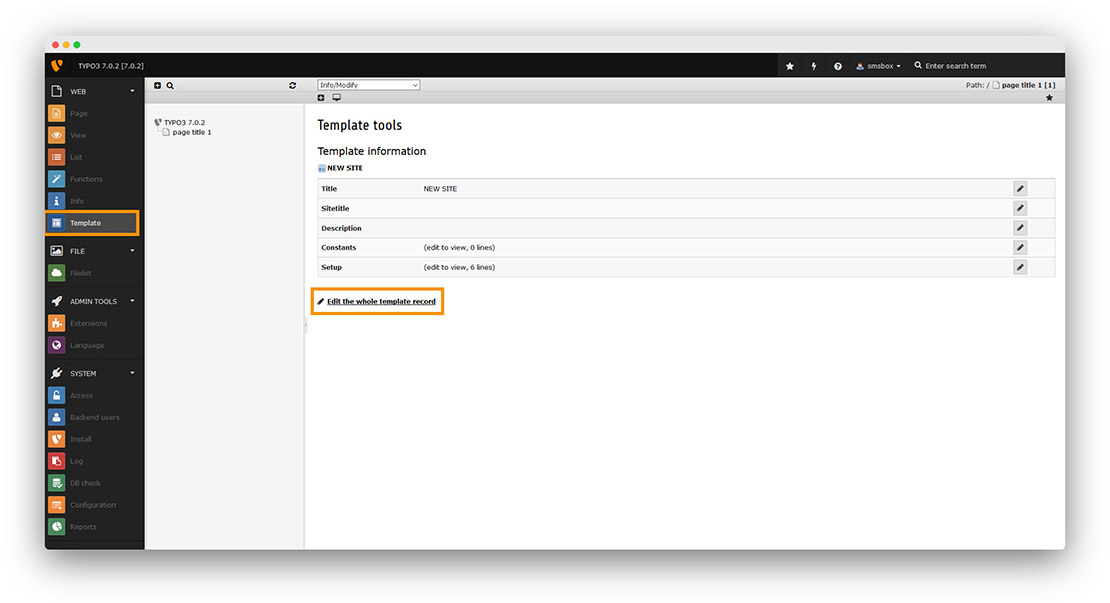
Step 4 Go to Template → Edit the whole template record.
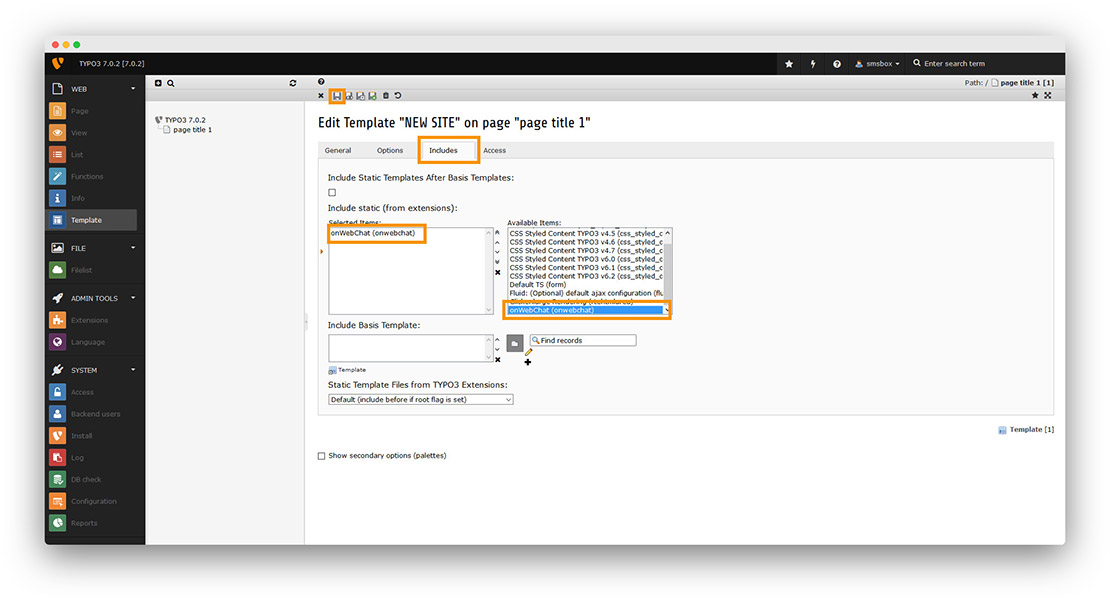
Step 5 Click the Includes tab. Search for onWebChat in the right panel, click it to add it to Selected Items, then click the save (disk) button.
Done! Your live chat widget is now active on your TYPO3 site.