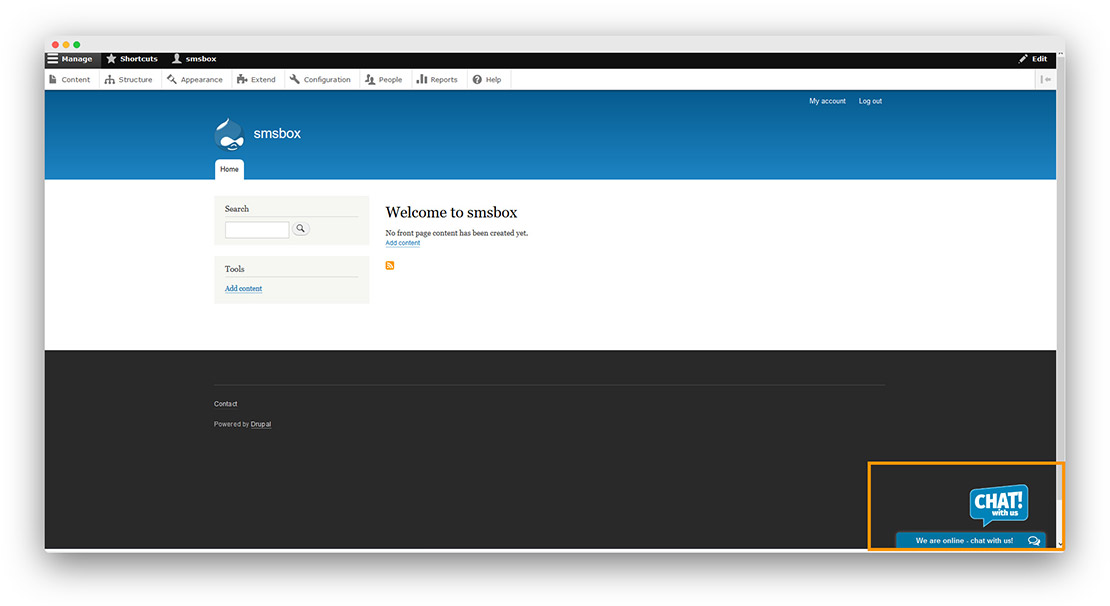
Connect onWebChat with Drupal 8
Add live chat to your Drupal website in seconds with onWebChat and start engaging directly with your visitors and customers.
Download Drupal 8 Module
Using Drupal 7? View our Drupal 7 installation guide >
Using Drupal 9, 10 or 11? This module is built for Drupal 8. On newer versions, paste the widget code from Settings > Widget > Installation into your theme's html.html.twig template, right before the closing </body> tag, as described in our general installation guide.
Drupal 8 Module Installation Guide
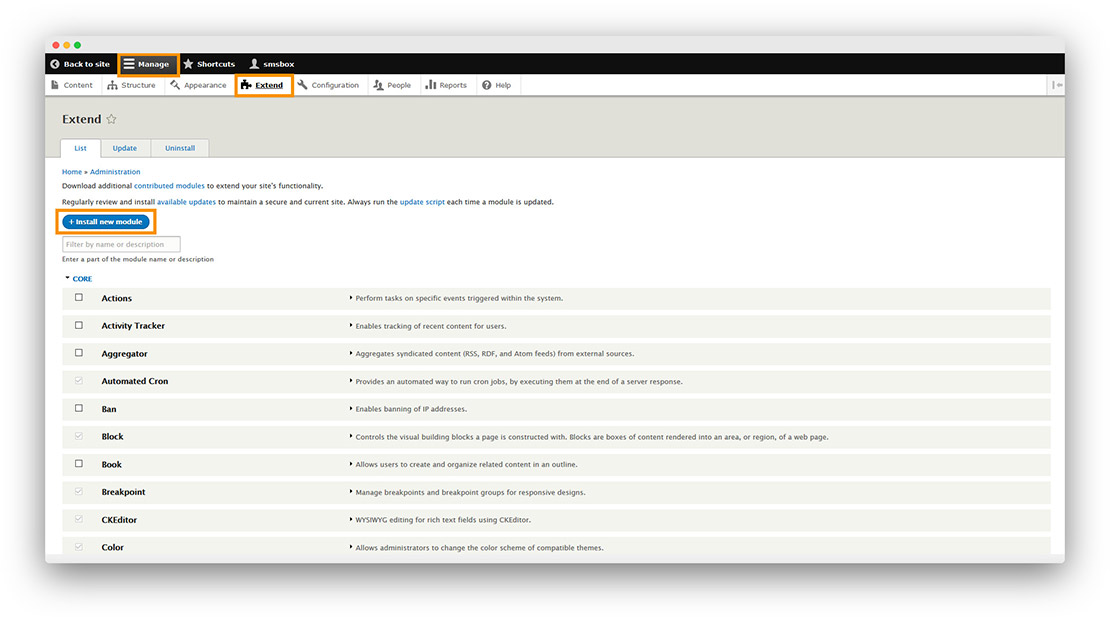
Step 1 Go to Manage → Extend, then click Install new module.
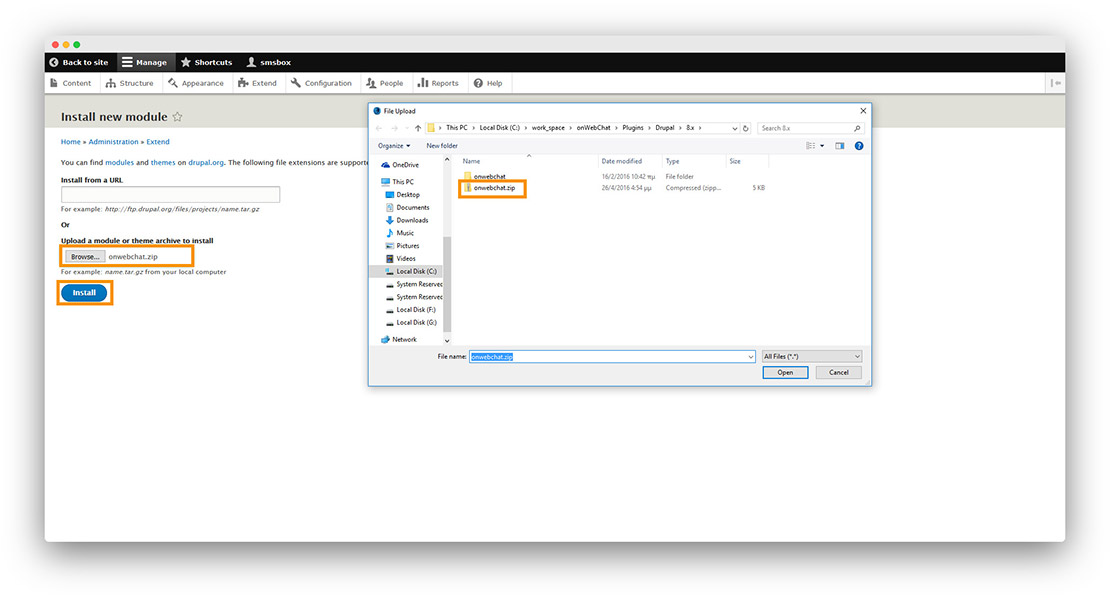
Step 2 Choose the downloaded module file, upload it, then click Install.
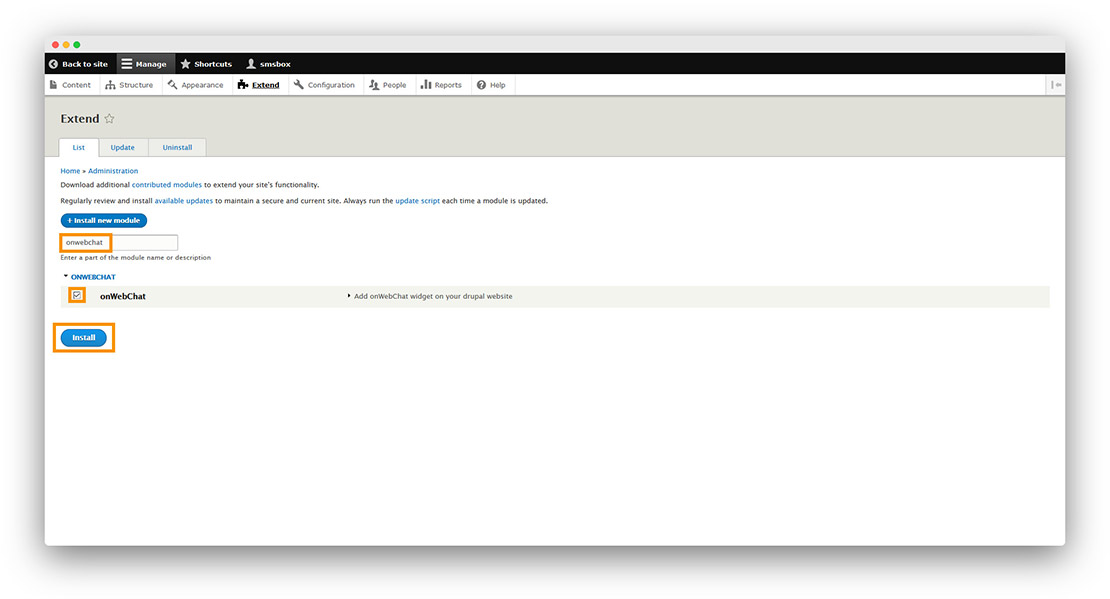
Step 3 Search for onWebChat, select it, then click Install.
Step 4 Click the link Add onWebChat widget on your Drupal website, then click Configure.
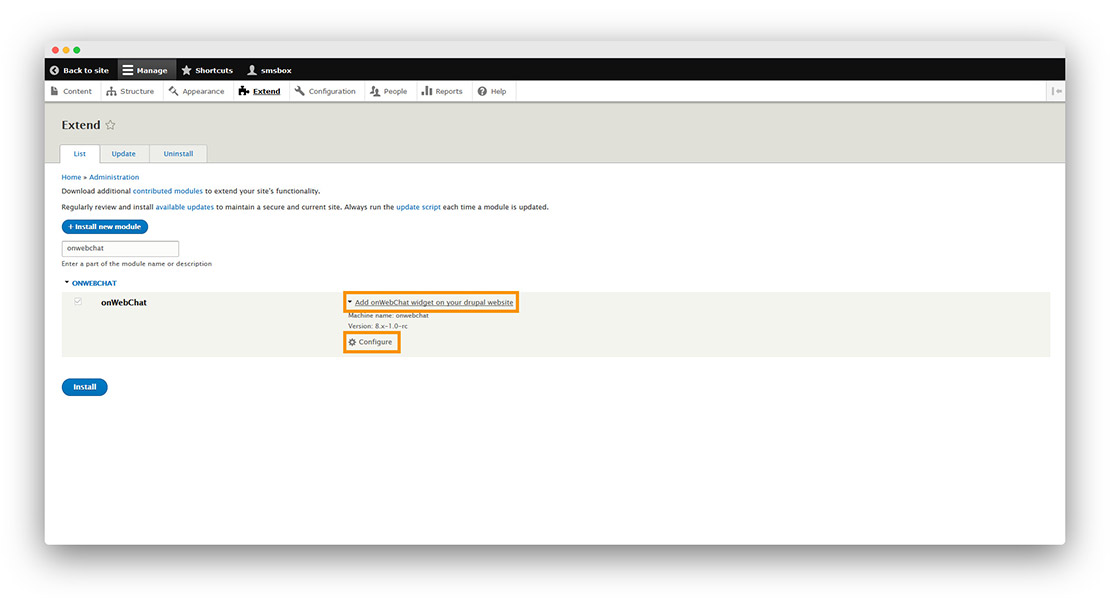
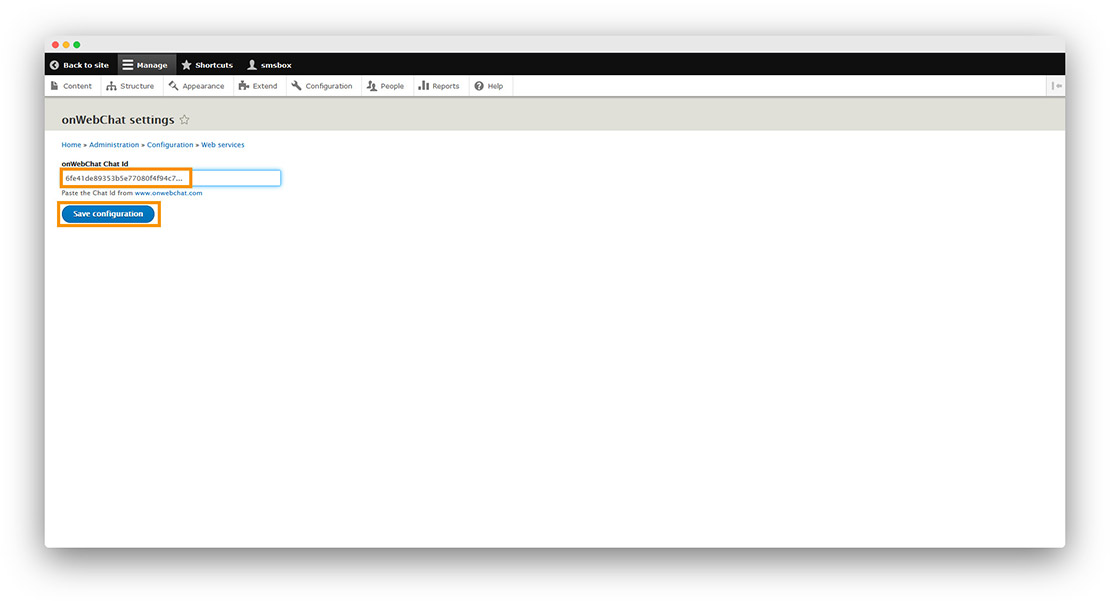
Step 5 Enter your Chat ID and click Save Configuration.
Don't have a Chat ID yet? Create a free onWebChat account, then copy your Chat ID from Settings > Widget > Installation in your dashboard.
Done! Your live chat widget is now live on your Drupal site.