1) Enable
Turn on Use Chat Ratings under Settings > Widget > Widget Settings > Chat Rating.
Chat ratings make support quality measurable. Use them to track satisfaction trends, identify coaching opportunities, and keep your live chat experience consistently high.
Turn on Use Chat Ratings under Settings > Widget > Widget Settings > Chat Rating.
The rating request appears automatically when a chat ends, and agents can ask for a rating at any time.
See each rating in Chat History and the average per agent in Statistics, then improve support quality over time.
Want to see more features? Explore all live chat features.
By enabling chat rating, agents can send a rating request at any time during the chat with the "Ask for rating" option in the chat menu, or simply by ending the chat. The request also appears when the visitor ends the chat.
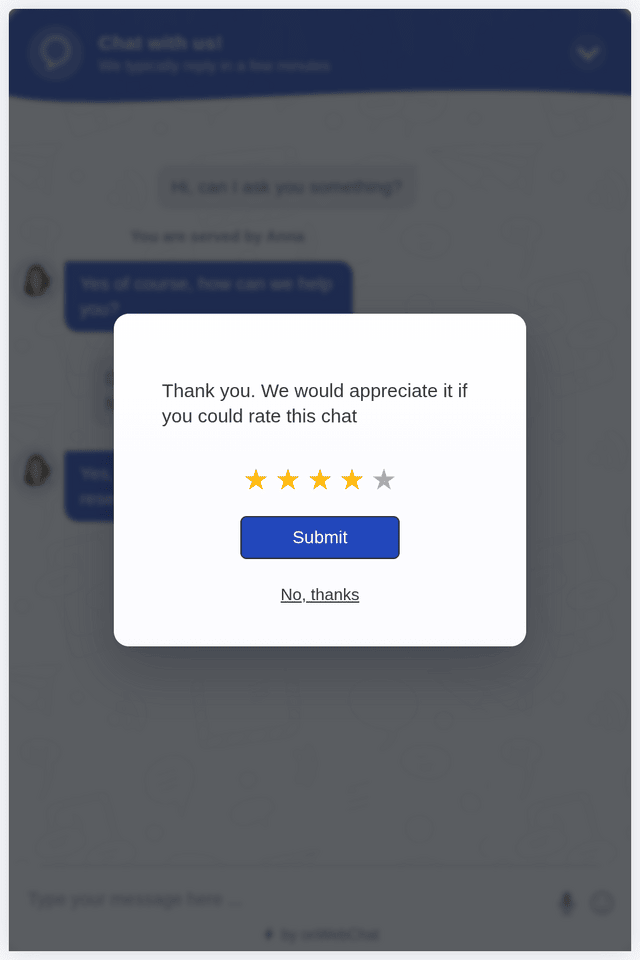
Visitors will see a five-star rating request in their chat window, asking them to rate the chat quality.
This helps you better understand visitor satisfaction, monitor agent performance, and encourage consistently better support.
Live chat rating is a simple post-chat feedback flow where visitors rate their support experience (usually 1 to 5 stars). It helps you measure satisfaction and improve service quality over time.
The rating request appears in the chat widget when the chat ends, whether the agent or the visitor ends it, and agents can also ask for a rating at any time from the chat menu. Visitors pick 1 to 5 stars and press Submit, or skip it with No, thanks.
Ratings highlight what's working and what needs attention. Each rating is shown next to its chat in Chat History and the Statistics page shows the average rating per agent, so you can spot trends, coach agents with the real transcripts, and confirm that changes improve the customer experience.
Yes, on every plan including Free. Turn on Use Chat Ratings under Settings > Widget > Widget Settings > Chat Rating, edit the rating texts if you like, and start collecting feedback from your visitors.
When shown at the end of a chat, the rating step is quick and typically improves trust by showing you care about service quality.
Yes. Combine low ratings with the chat transcripts in Chat History to identify patterns and improve responses and resolution quality.