Connect onWebChat with OpenCart
Other versions: OpenCart 4, OpenCart 3, OpenCart 2.3.x, OpenCart 1.5.x
OpenCart 2.0.x-2.2.x Extension Installation Guide
Step 1 Copy all the required files to the following directories:
admin/controller/module/onwebchat.php → "opencart folder"/admin/controller/module/
admin/language/english/module/onwebchat.php → "opencart folder"/admin/language/"language you are using"/module/
admin/view/template/module/onwebchat.tpl → "opencart folder"/admin/view/template/module/
catalog/controller/module/onwebchat.php → "opencart folder"/catalog/controller/module/
catalog/view/theme/default/template/module/onwebchat.tpl → "opencart folder"/catalog/view/theme/"theme you are using"/template/module/
catalog/language/english/module/onwebchat.php → "opencart folder"/catalog/language/"language you are using"/module/
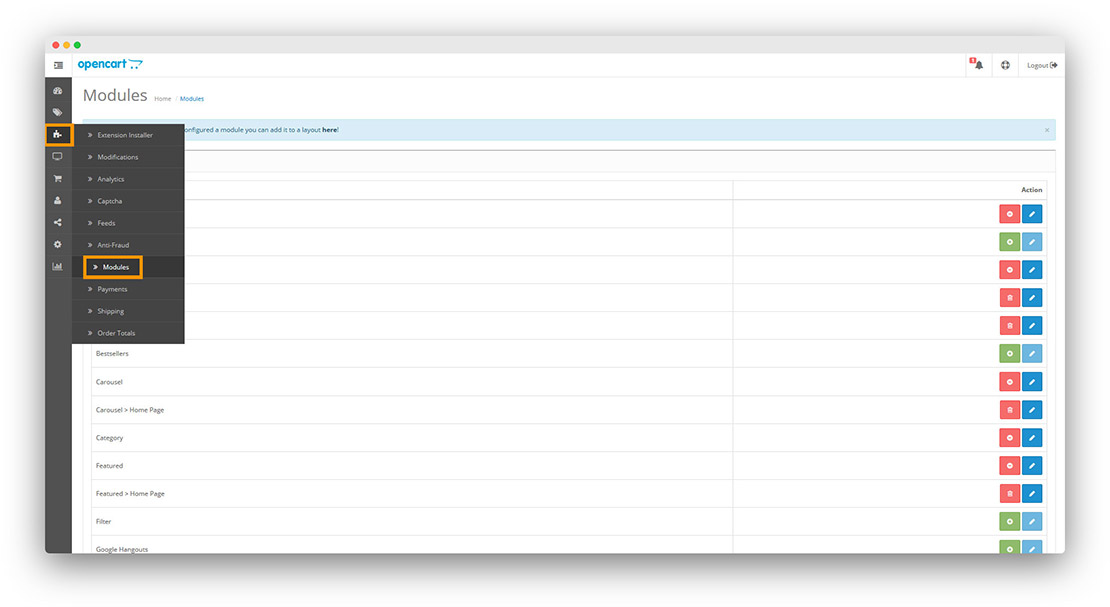
Step 2 From the OpenCart admin panel, go to Extensions → Modules.
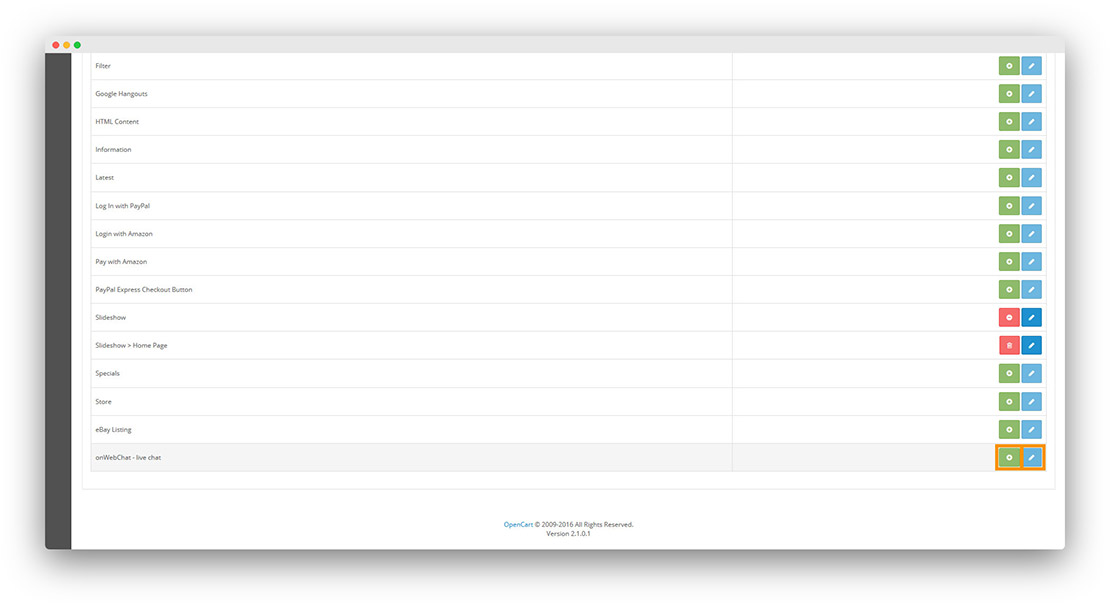
Step 3 Find onWebChat - Live Chat and click the Install icon (plus). Then click the Edit icon to configure the extension.
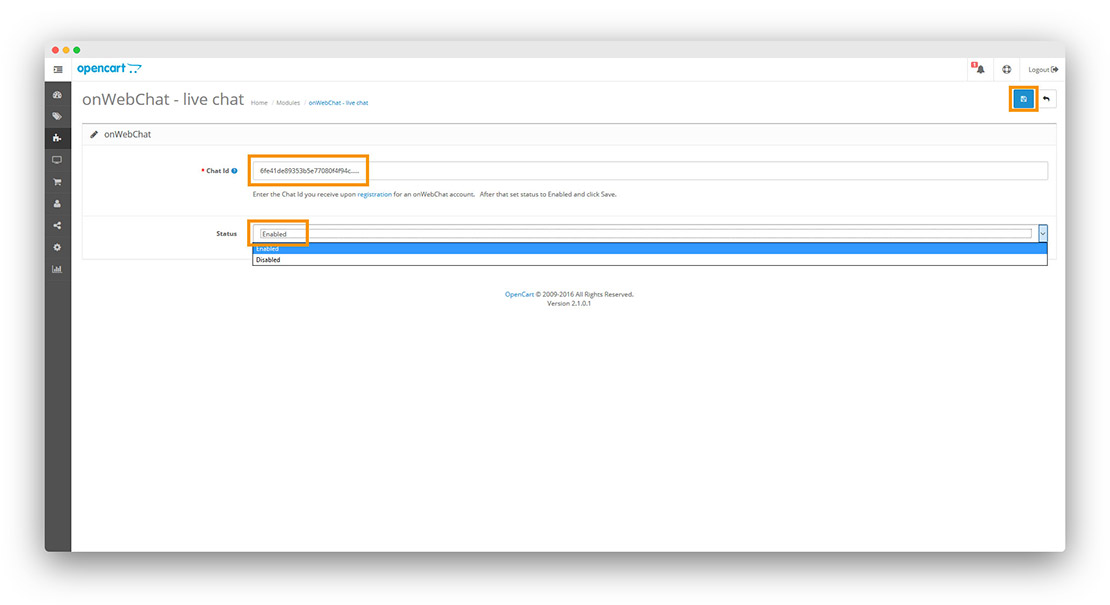
Step 4 Enter your Chat ID, select Enable for Status, then click Save.
Don't have a Chat ID yet? Create a free onWebChat account, then copy your Chat ID from Settings > Widget > Installation in your dashboard.
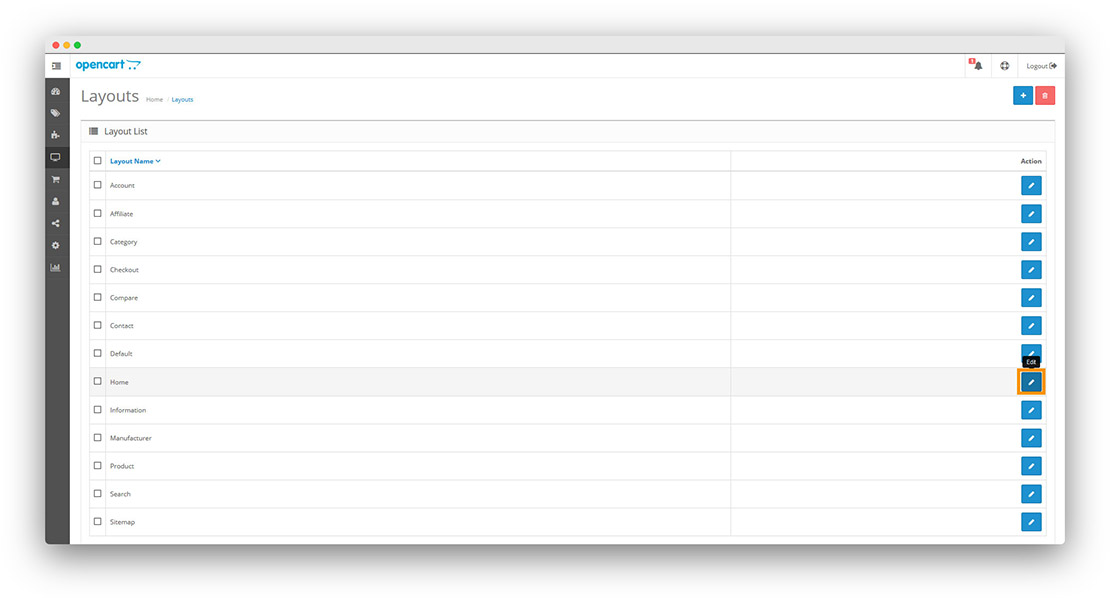
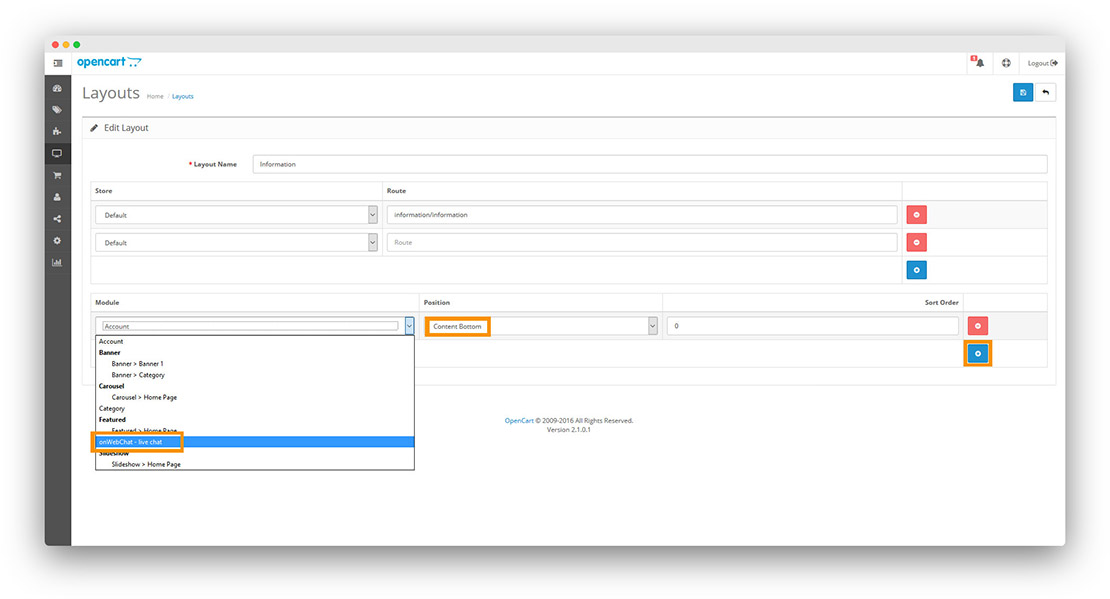
Step 5 Go to Design → Layouts. Edit each layout (Home, categories, products, etc.) and add onWebChat - Live Chat to Content Bottom.
Step 6 Click the add button (plus). Select onWebChat - Live Chat from the Module dropdown and Content Bottom for Position.
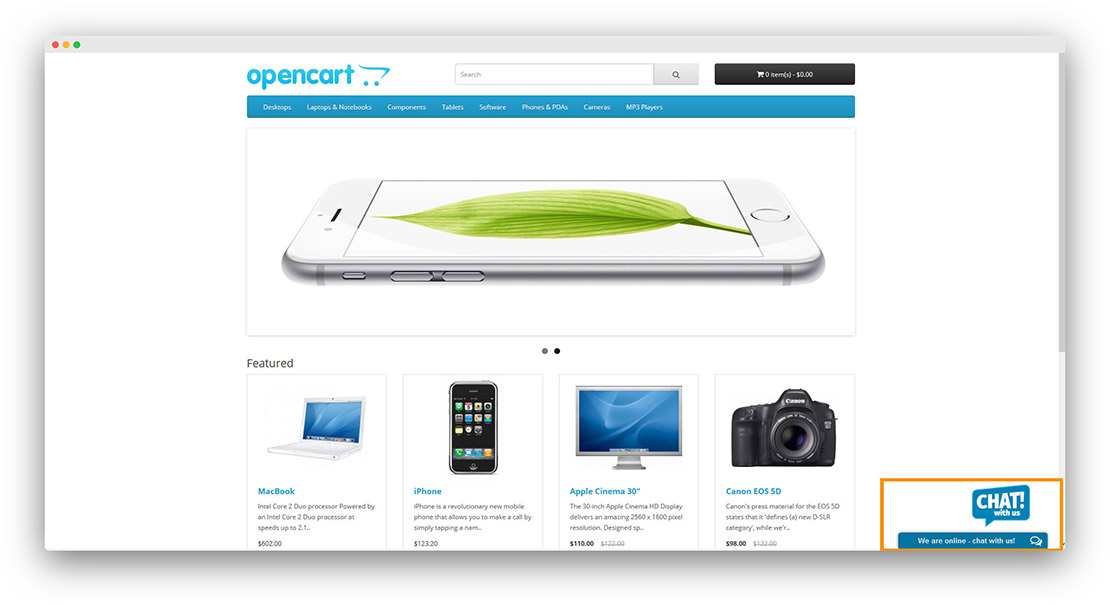
Done! Your live chat widget is now live on your OpenCart store.
Like onWebChat?
If you're enjoying this extension, we'd really appreciate a positive review on opencart.com. It helps us grow and continue improving the product.